


Need to access resignation letters or other employment-related documents after an employee has left your company? Make sure your People’s folders apply to both employed and terminated employees.
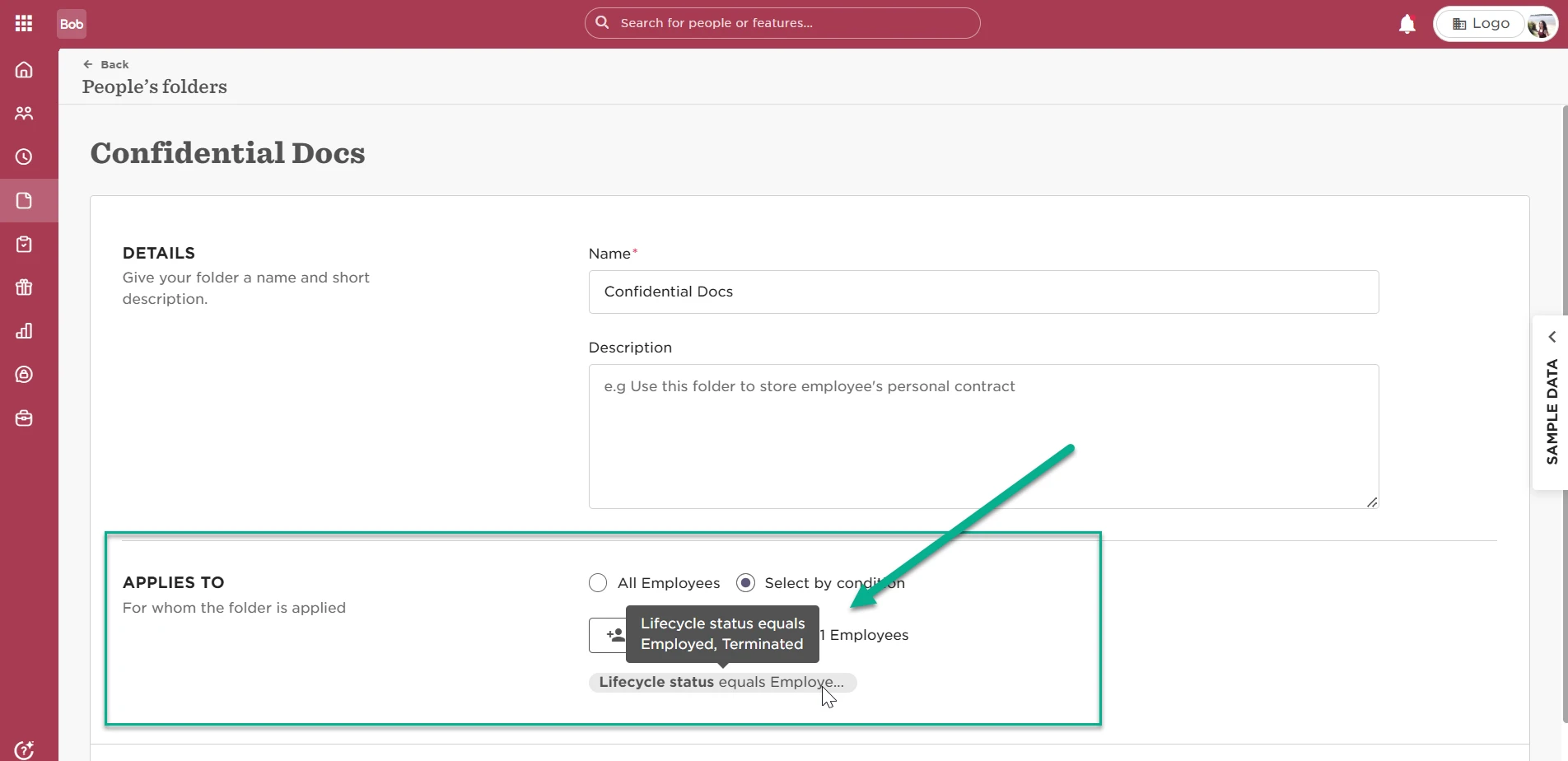
If you can no longer access an employee’s documents after termination, check the relevant folder’s Applies to settings.
To do this:
- Navigate to Docs > Settings > People’s folders.
- Search for the relevant folder.
- Click Manage.
- Under Applies to, make sure to include employees with a Terminated status.
- Save your changes.
Repeat this process for any other folders containing documents you need to access after an employee’s termination.
This configuration is intended to allow continued access to employment-related documents for both current and previously terminated employees.