


If you see an error that an eSign template “can’t be found” when assigning a task, it usually means the template was deleted or is no longer available.
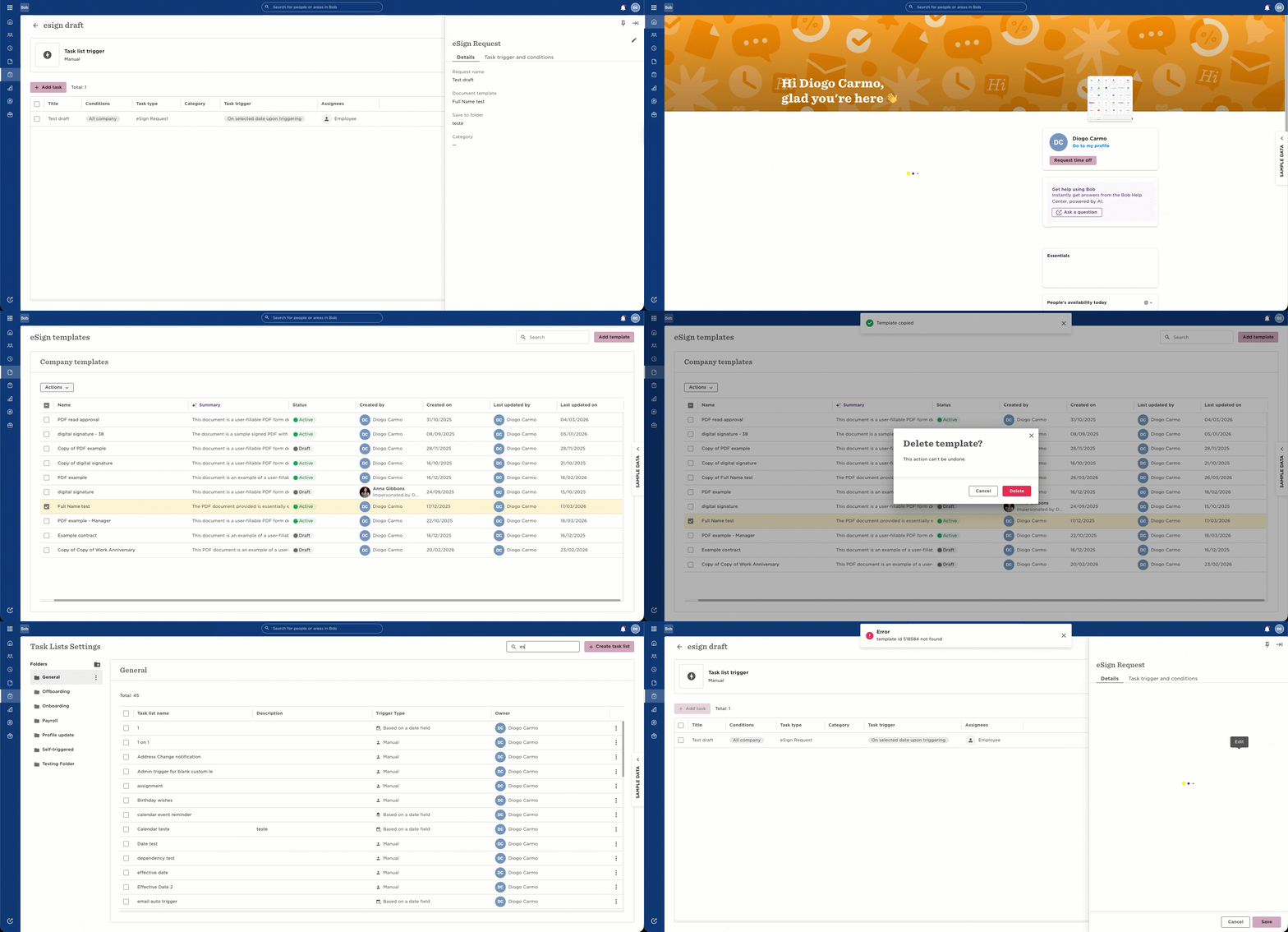
This can block task flows and prevent eSign letters from being sent.
When this happens, the original template linked to the task can’t be recovered, even if similarly named templates still exist in the eSign section.
To get your task list working again:
Take a screenshot of the current task list for reference
Remove the task that shows the error
Add a new eSign task
Select the correct template
If the template isn’t available, check if it’s still in draft or recreate it
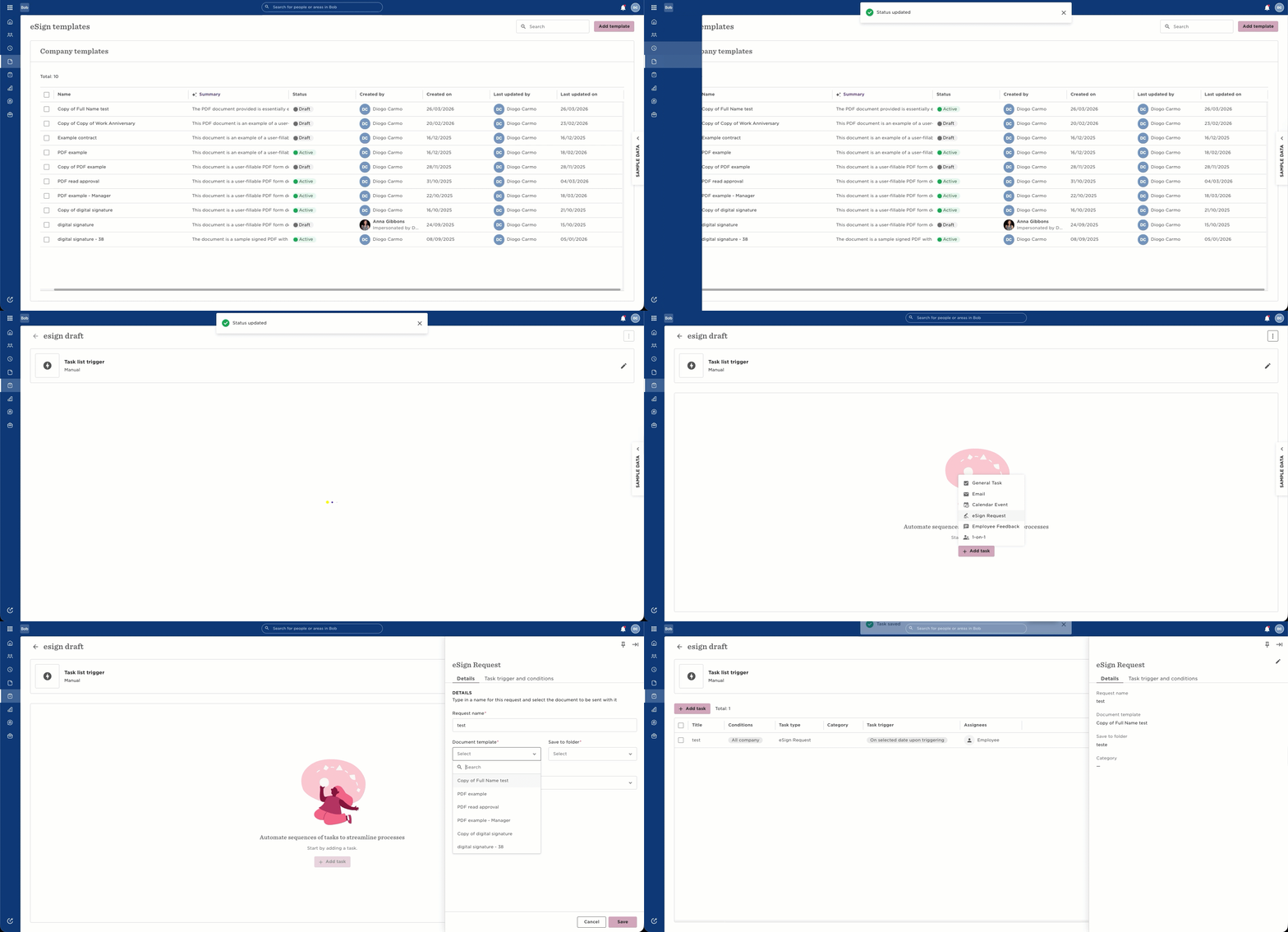
This ensures the task list works properly going forward.
If you need to send letters immediately, avoid re-triggering the full task list. Since task lists can apply to multiple employees, re-triggering may resend requests to the wrong people.
Instead, send the eSign request manually:
Go to Org > People > Directory
Apply filters based on the task conditions
Select the relevant employees
Trigger the eSign request
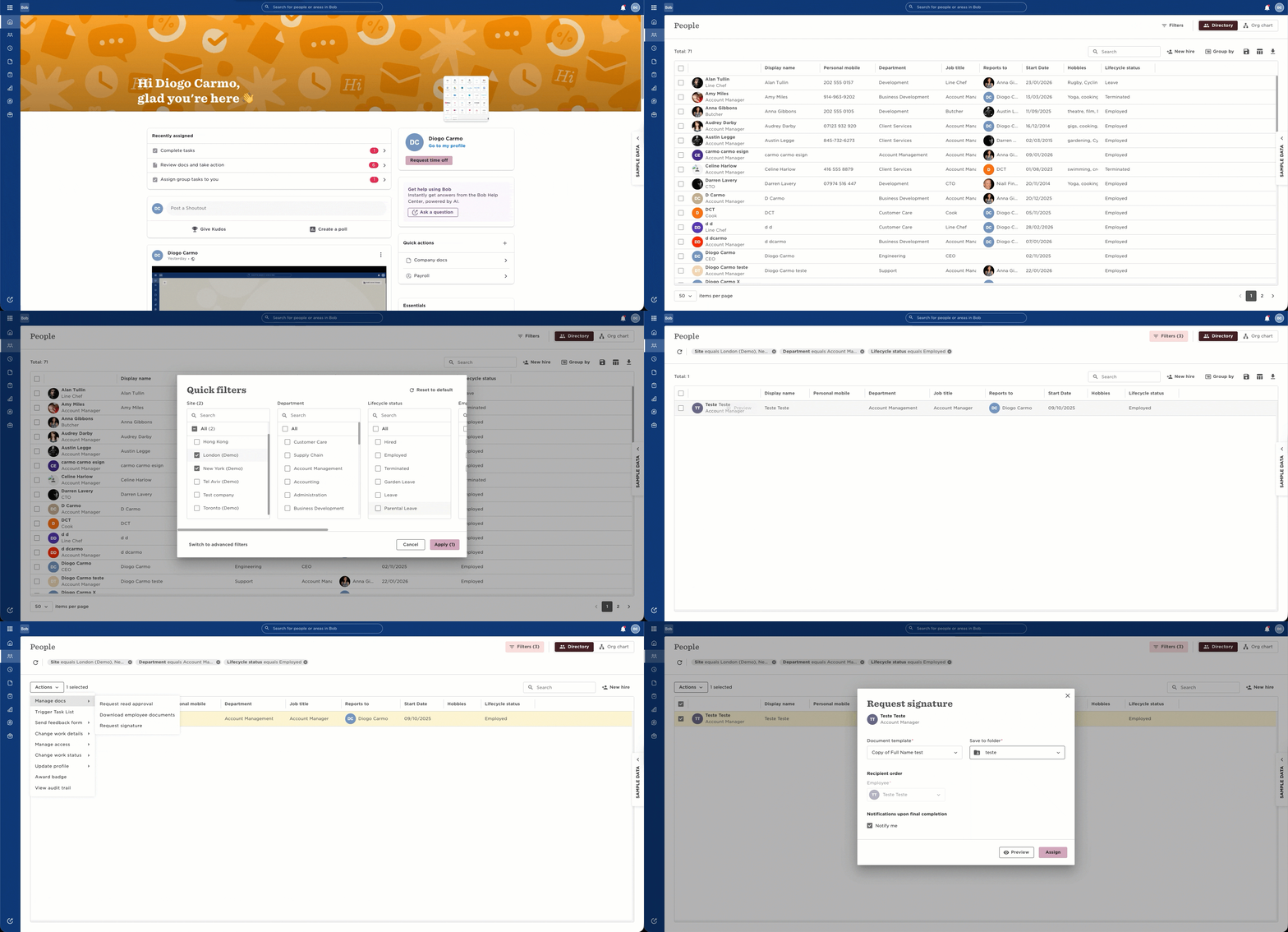
This way, only the correct employees receive the request.
A couple of things to keep in mind:
There’s currently no audit trail for deleted eSign templates
Task lists don’t show which exact template was previously linked
In most cases, the task name reflects the original template name, which can help you identify what to recreate