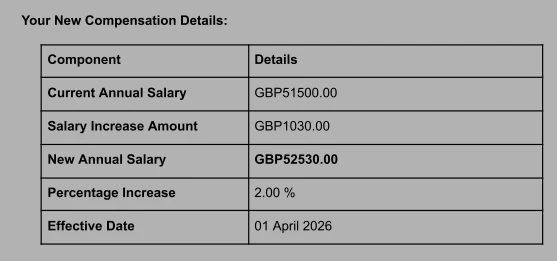
If you’re using currency fields in an eSign template and notice that the currency code isn’t displayed as expected, here’s what’s happening and how to work around it.
When you pull a currency field into an eSign template, Bob automatically displays the currency symbol rather than the three-letter currency code. For example, EUR appears as €, USD appears as $, and AED appears as the Arabic currency symbol.
This behaviour is expected and consistent across all currency fields in eSign templates. At the moment, the format isn’t configurable, so it’s not possible to switch the display from a symbol to a currency code within the field itself.
If you need the amount in the letter to read as something like “EUR X”, you can use a simple workaround. Open the eSign template and manually type "EUR" directly before the employee field that pulls from the currency field. This ensures the letter reads clearly as “EUR X,” even though the field itself still shows the symbol.
Keep in mind that this will result in both the currency code and the symbol appearing together, but it’s the best option when formal or region-specific formatting is required.