Canceling an eSign task

  • July 21, 2023
  • 4 replies
  • 280 views

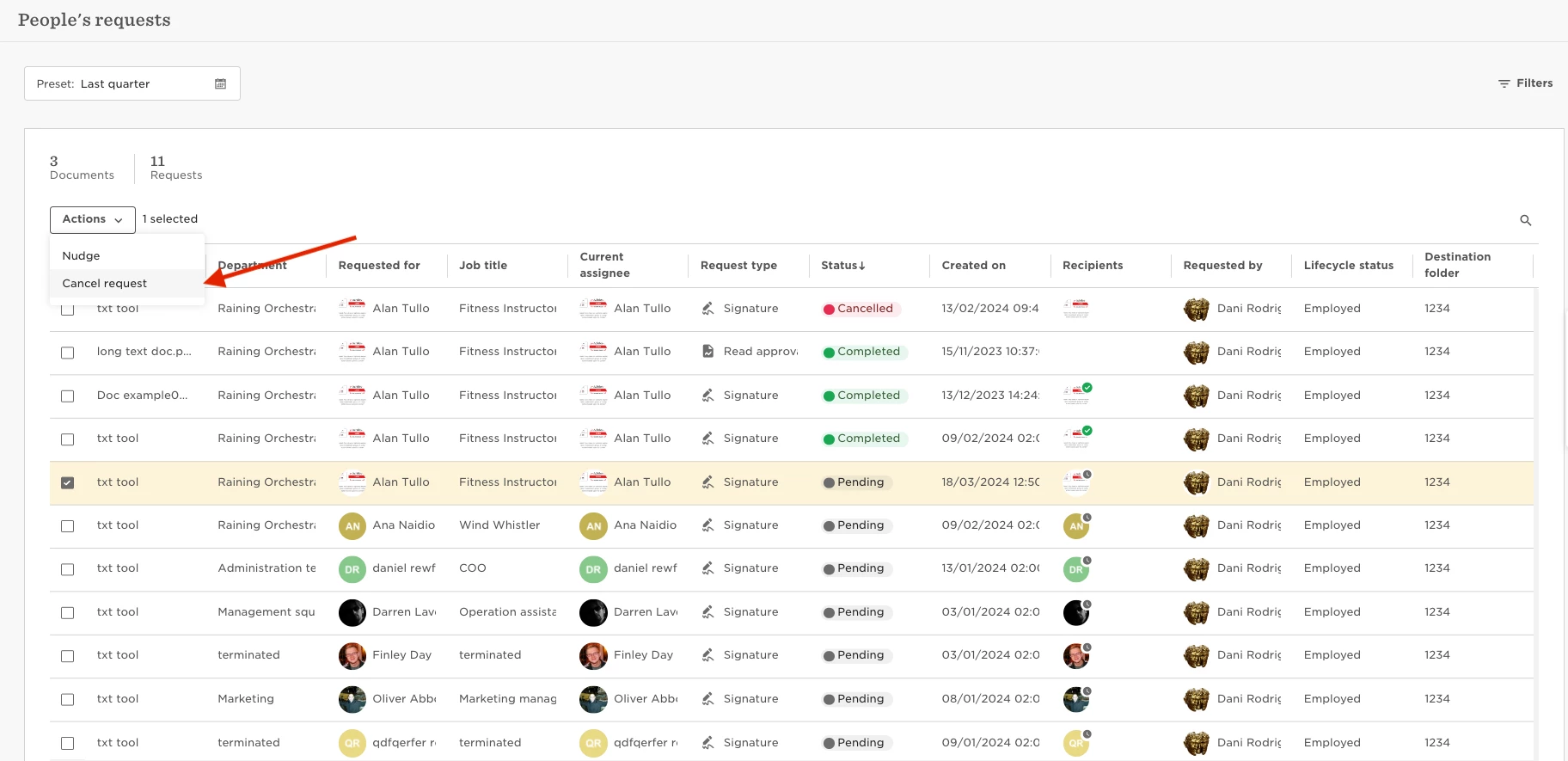
eSign request tasks can't be cancelled in the "Manage tasks" tool, to cancel this type of task we need to cancel the actual eSign. To do this, we can head to:

  • Docs
  • People's requests  
  • select the specific request  
  • Actions
  •  Cancel


4 replies

Hi @Pedro Catarino thanks for starting this thread. I have several outstanding eSign Request “Tasks” that need to be cancelled, but when I go to the “Docs” People’s requests areas as you have outlined above, the outstanding Tasks do not show up as a pending (or cancelled) request. Is there another way to cancel the Tasks?


Lindsay Sinenberg
Bobber

Hi @Taylor Lowe! Make sure to adjust the time frame in the top left corner to a broader range (‘this year’ for an example) to ensure all requests are visible. 
If the items still are not present for you once you make this change, feel free to reach out to our Support Team and we can check on this for you 😊


I have esign requests cancelled under the Docs section that are still showing as incomplete in the task list section - how do I remove these?


Kiare Tavarez
Bobber

Hi ​@Sarah.Hardy! For now, the only reason they would get cancelled, it’s if the system automatically cancells the tasks, due to permissions or missing data. When cancelling an eSign or even a Feedback request, the task will stay incomplete.
At the moment, this is a Feature request.