


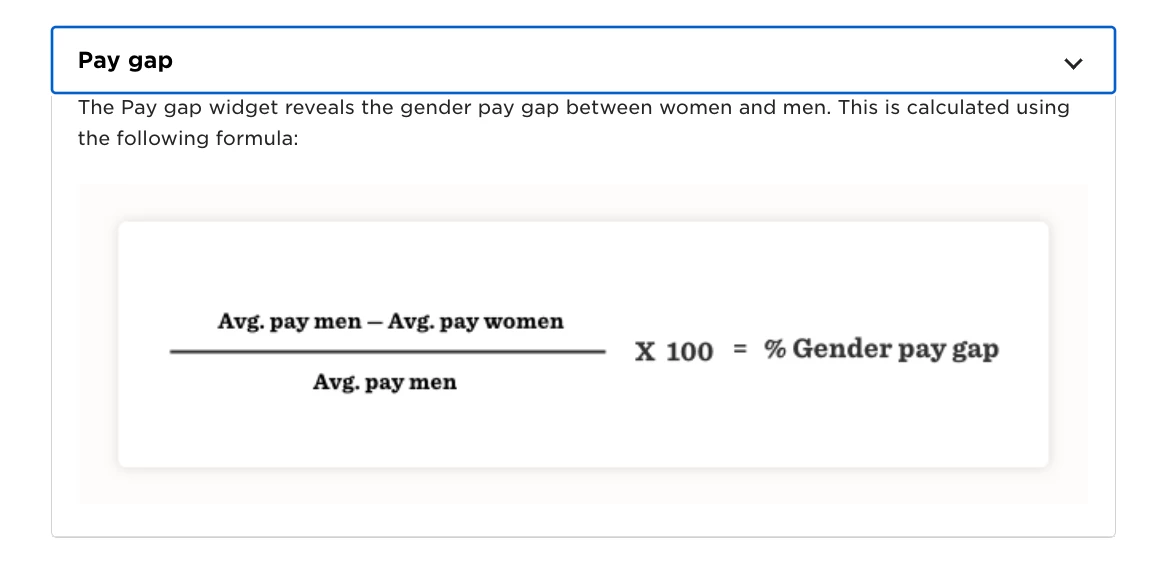
The Pay Gap widget uses the default Gender field. It does not use the Legal Sex field or any other field.
The logic is currently hardcoded and relies only on the two original list values in the Gender field:
-Male
-Female
No additional Gender values are included in the calculation.
You can find the Pay Gap widget:
In the Finance dashboard template, or
When creating a custom dashboard and selecting the Pay Gap widget
If you are using the widget and want to ensure accurate reporting, make sure your Gender field data is complete and aligned with your reporting requirements, as this is the field used in the pay gap logic.