Create a custom permission group for the people for whom you want to enable the Dashboards.
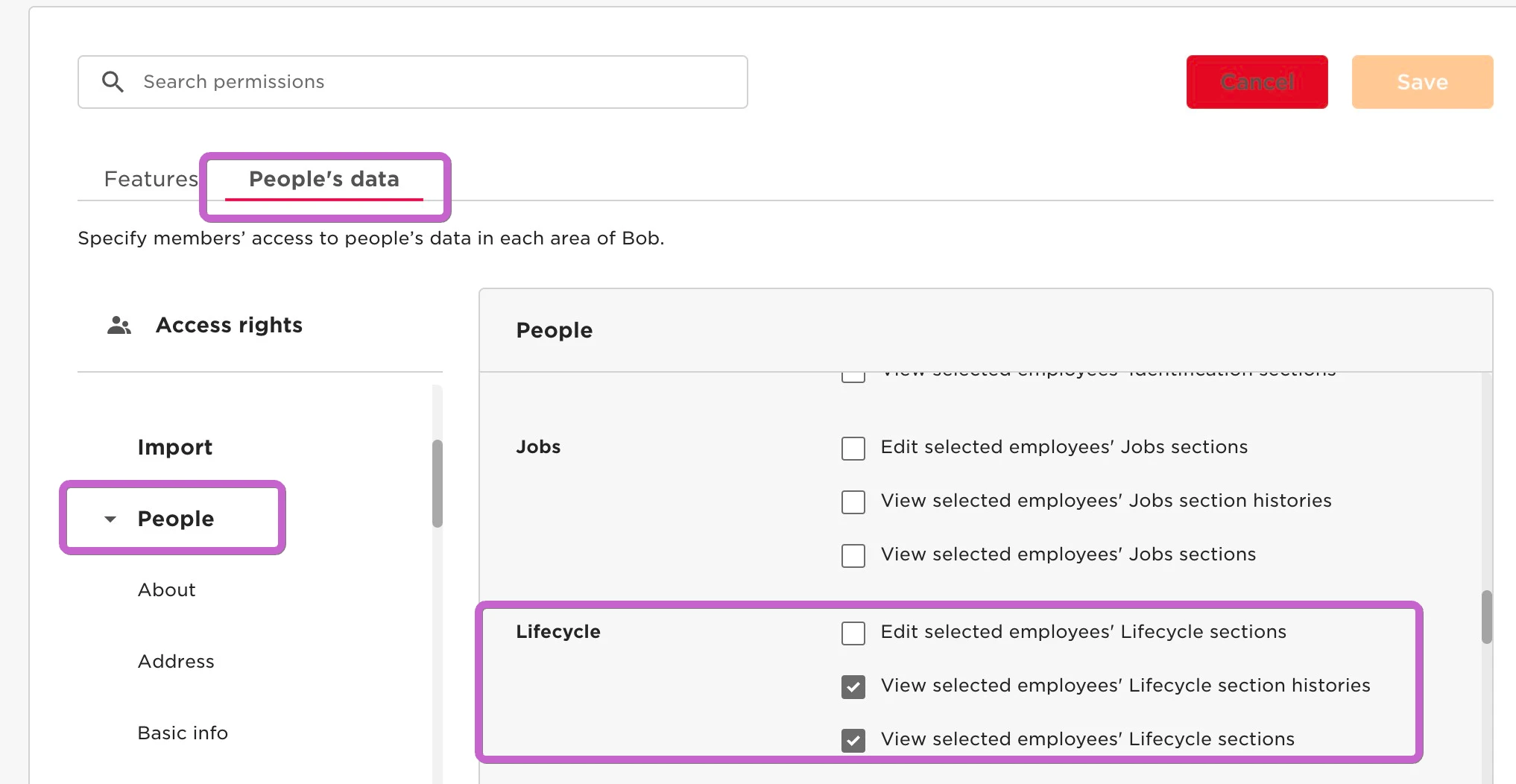
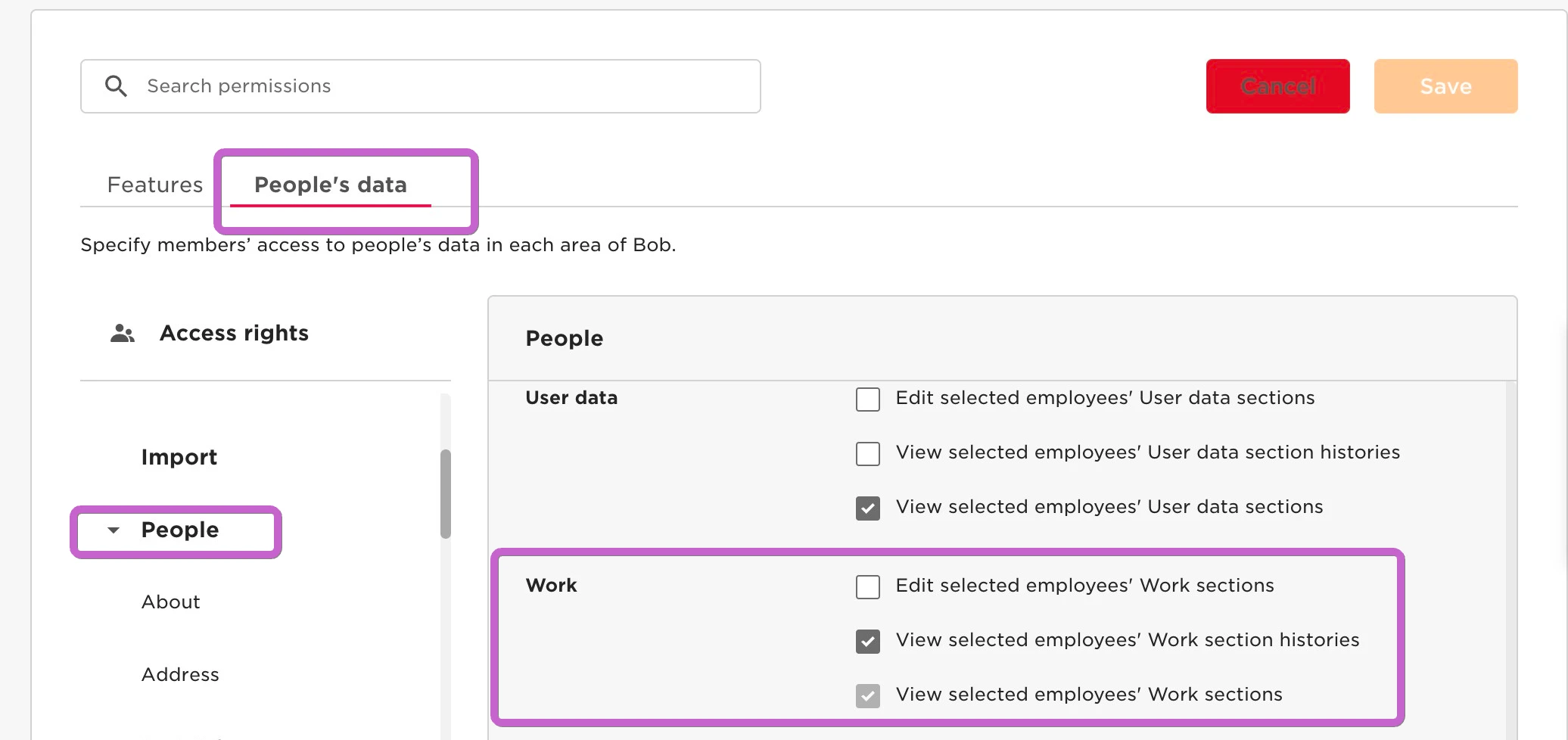
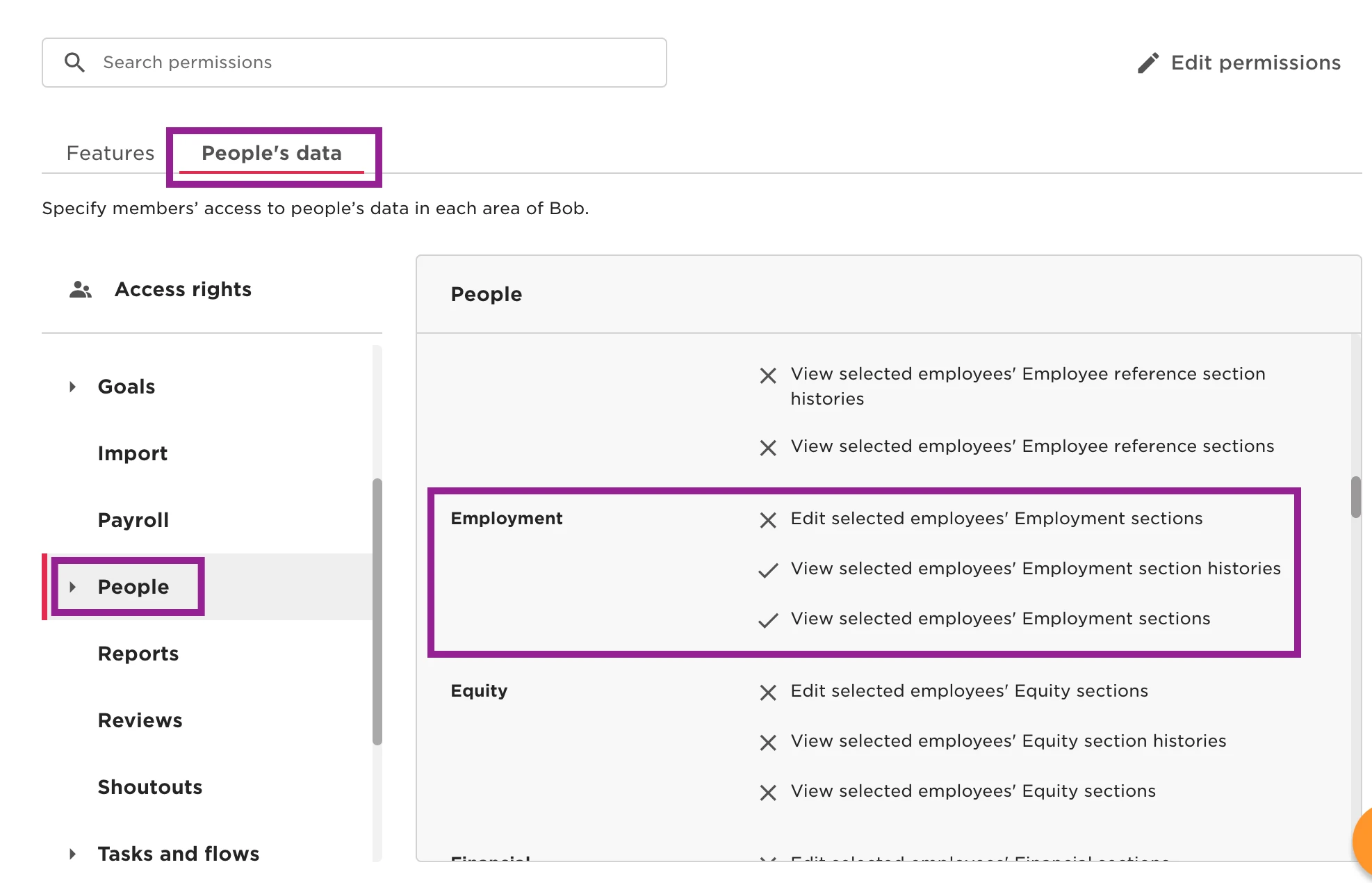
Once you have created the permission group under Settings > Roles & Permissions, enable the following set of permissions:
-
Lifecycle category: view section and view history
-
Work category: view section and view history
-
Employment: view section and view history
-
Payroll: view section and view history (only if we want to provide access to sensitive data)
Only if we want to provide access to sensitive data:
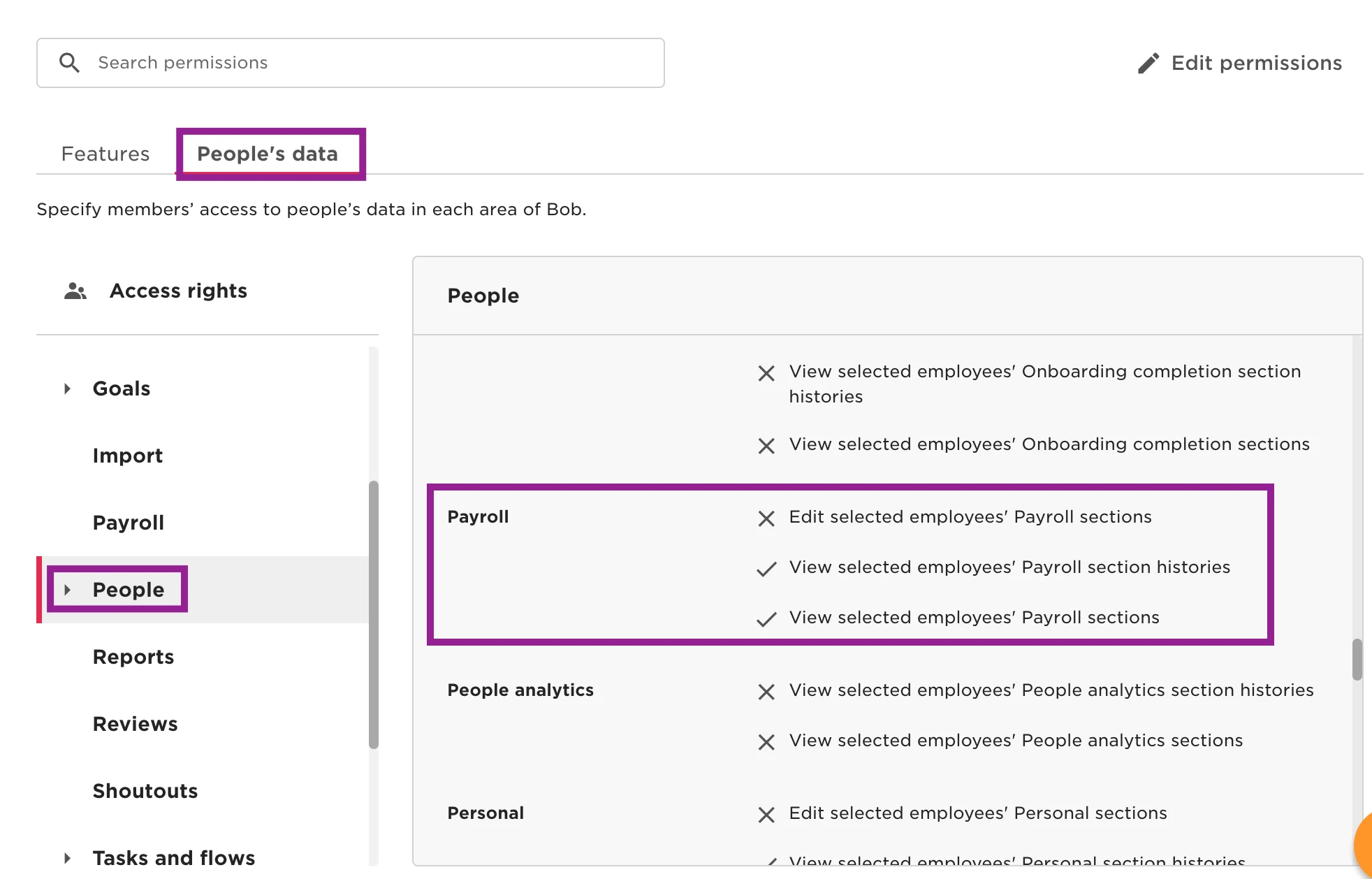
In addition, you will need basic permission to see the Dashboard and include permission to export the dashboard only if you would like users to have this functionality.
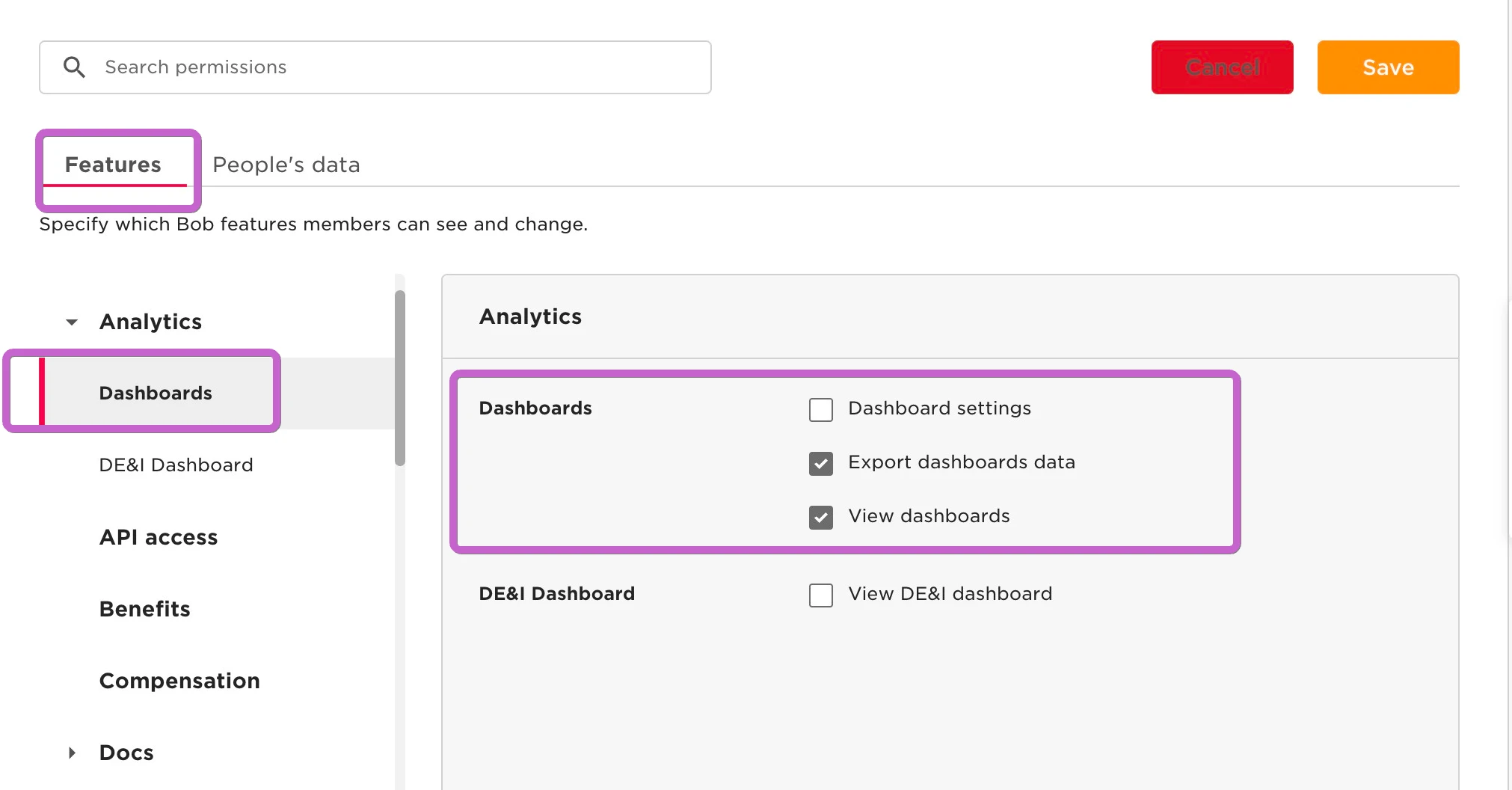
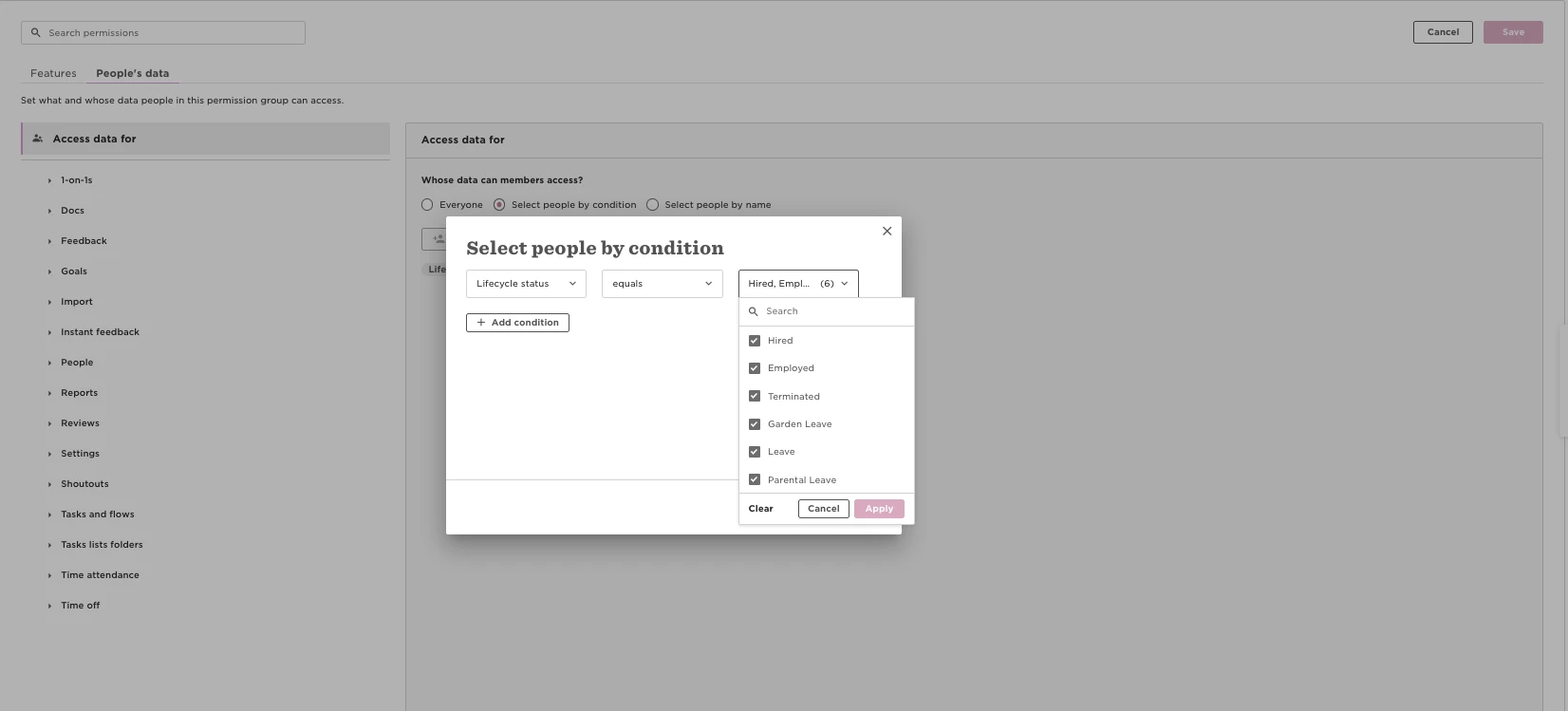
Even if the above permissions are correct, the teams might also need visibility over the employee population referenced in the dashboard.
Please check the Access Data tab of the permission group and ensure:
All relevant lifecycle statuses are included: (Hired, Employed, Terminated, On Leave, Parental Leave, Garden Leave, etc.)
The correct organisational scope is selected: (e.g., Full company, specific sites, or units included in the dashboard)
If lifecycle statuses or organisational scope are restricted, dashboards will show fewer employees or different results, since it respects the user's access data setup in the permission group.