This article will walk you through configuring a time off policy that complies with Brazil's legal holiday requirements.
In Brazil, employees are legally entitled to 30 days of paid annual leave after completing one year of employment. These 30 days:
-
Can be taken in up to three parts:
-
One period must be at least 14 consecutive days
-
The other two must be at least 5 consecutive days
-
-
Must be used within the following work year (no carryover allowed)
-
Can be partially sold, employees may sell up to ⅓ of their annual leave
You’ll configure your policy in Bob to reflect this structure and support both usage and compliance.
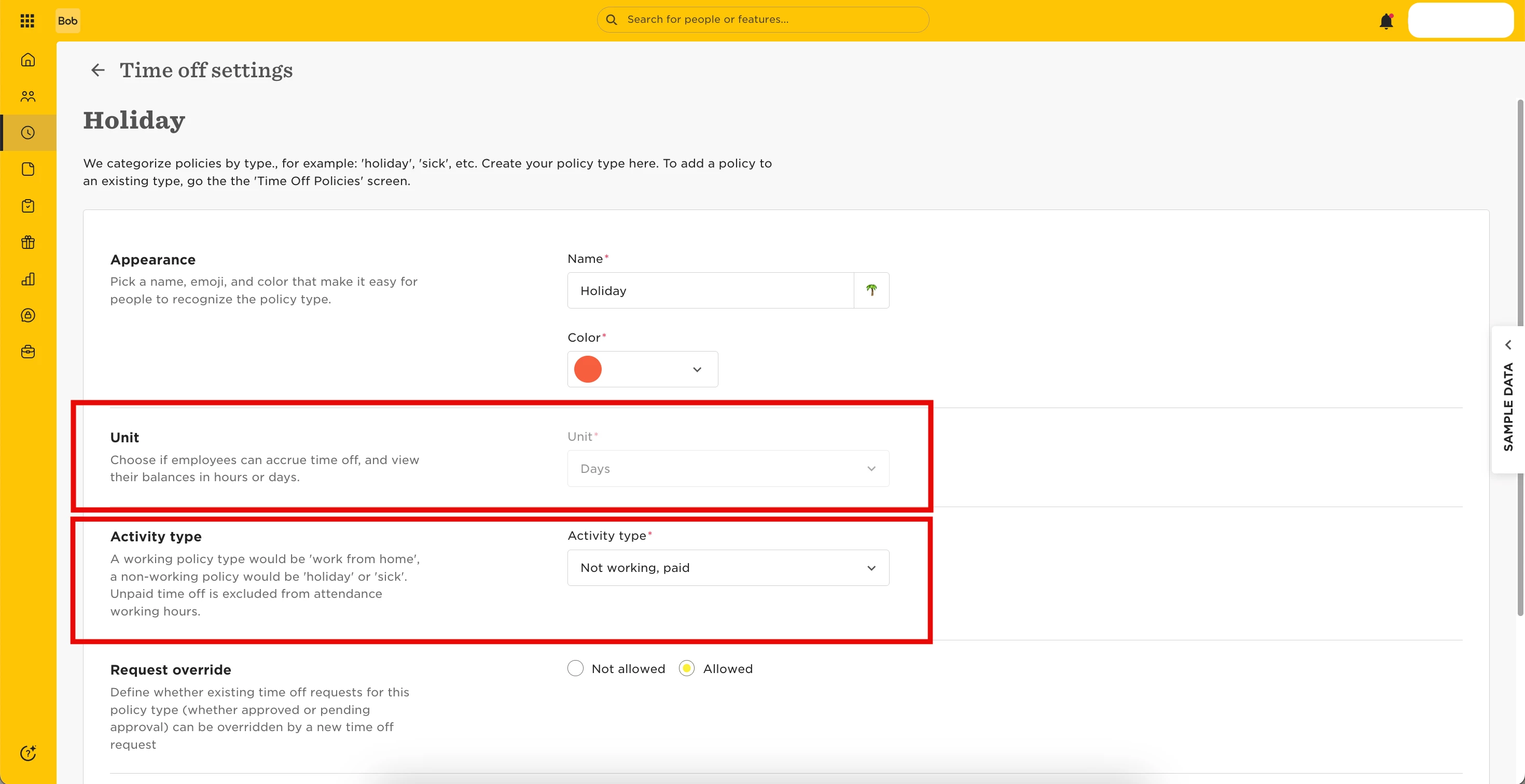
Create a Policy Type:
-
Go to Time > Time Off Settings
-
Open the Policy Types tab
-
Click + New policy type
-
Configure the following fields:
-
Unit: Days
-
Activity type: Not working, paid
-
All other settings are optional and can be customized based on your needs
-
As the ‘Policy Type’ is an umbrella or group for multiple Policies,you can create a dedicated Brazil-specific Policy Type, or use a general one that allows requests on any day.
Create the Time Off Policy
-
Go to Time > Time Off Settings
-
Open the Policies tab
-
Click + New policy
-
Use these settings:
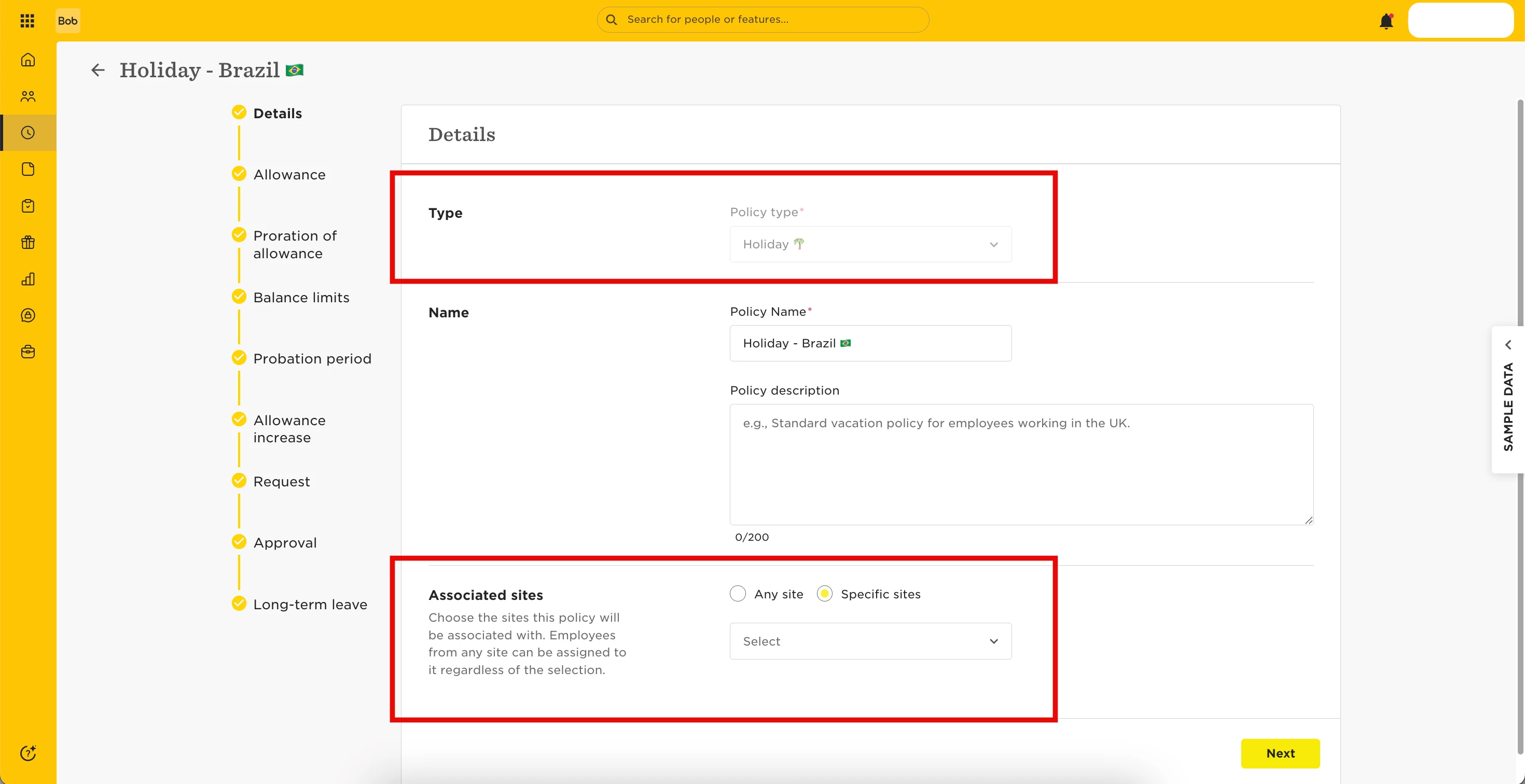
Details
-
Policy type: Select the one you created
-
Associated sites: Select Brazil-based sites
-
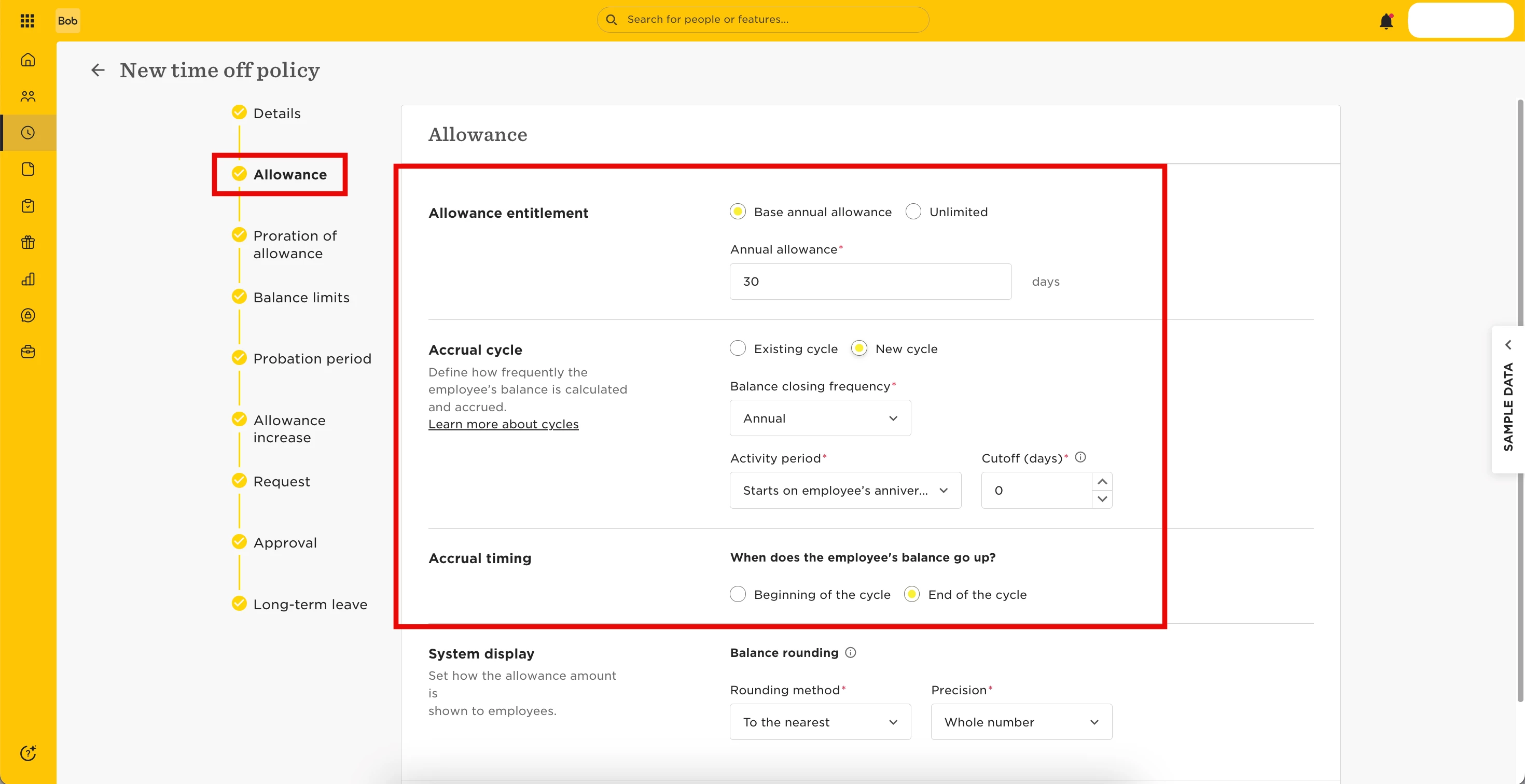
Allowance
-
Allowance entitlement: Base annual allowance
-
Annual allowance: 30 days
-
Accrual cycle: New cycle
-
Balance closing frequency: Annual
-
Activity period: Starts on employee’s anniversary
-
When does the employee's balance go up?: End of the cycle
-
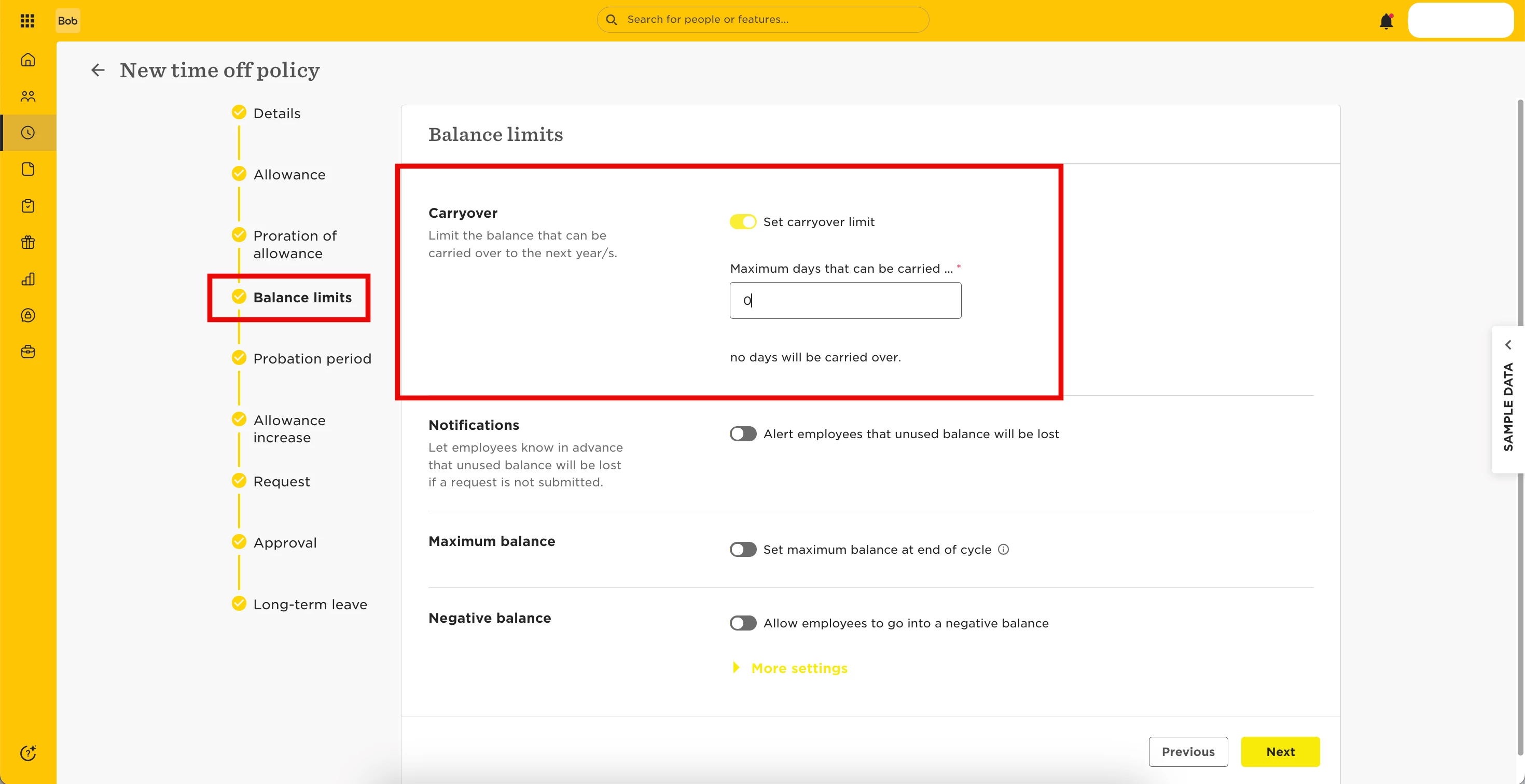
Balance limits
-
Carryover limit: [toggle on], 0 days
-
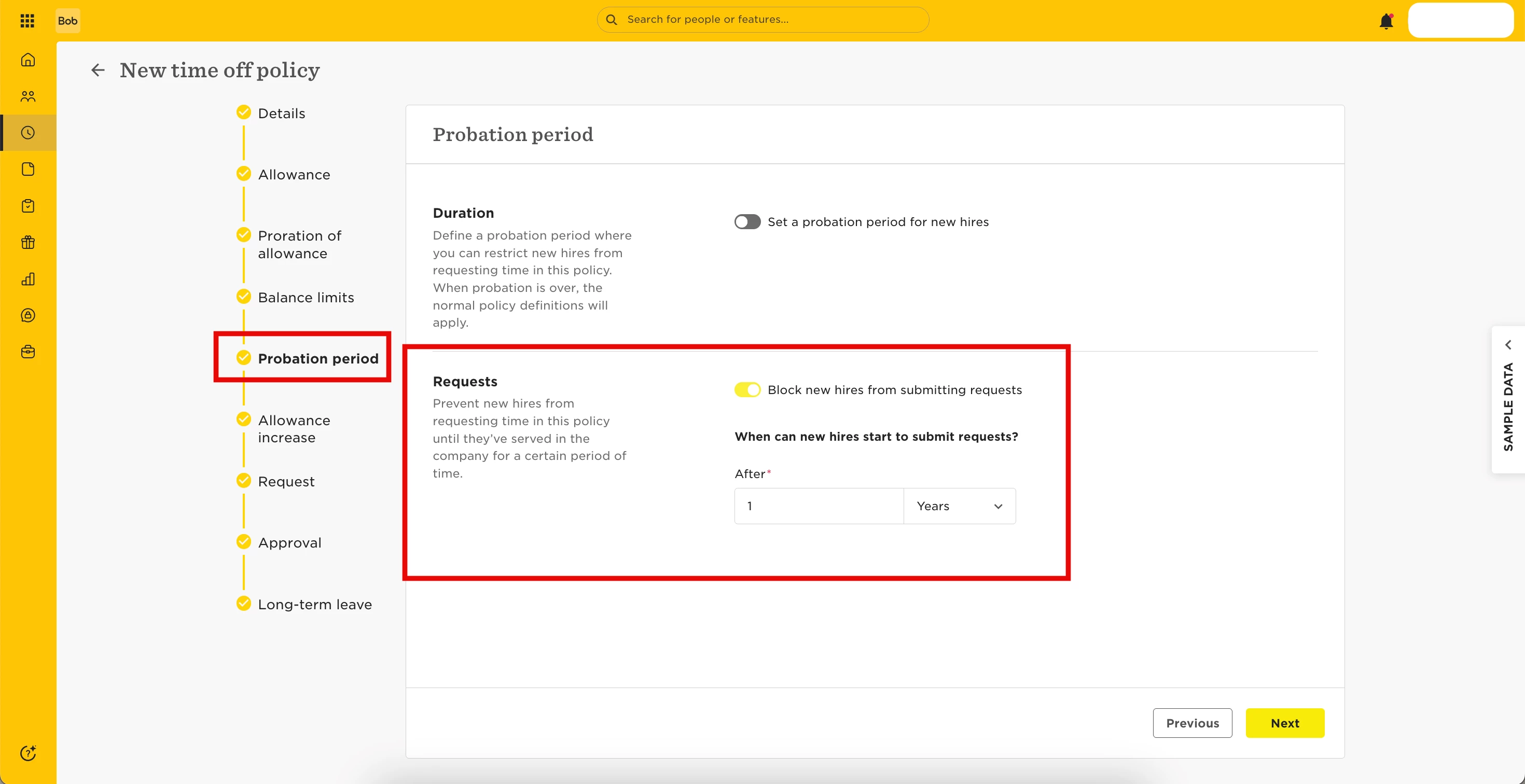
Probation period
-
When can new hires start to submit requests?: After 1 Year
-
Request
-
Days that can be requested: Any days
-
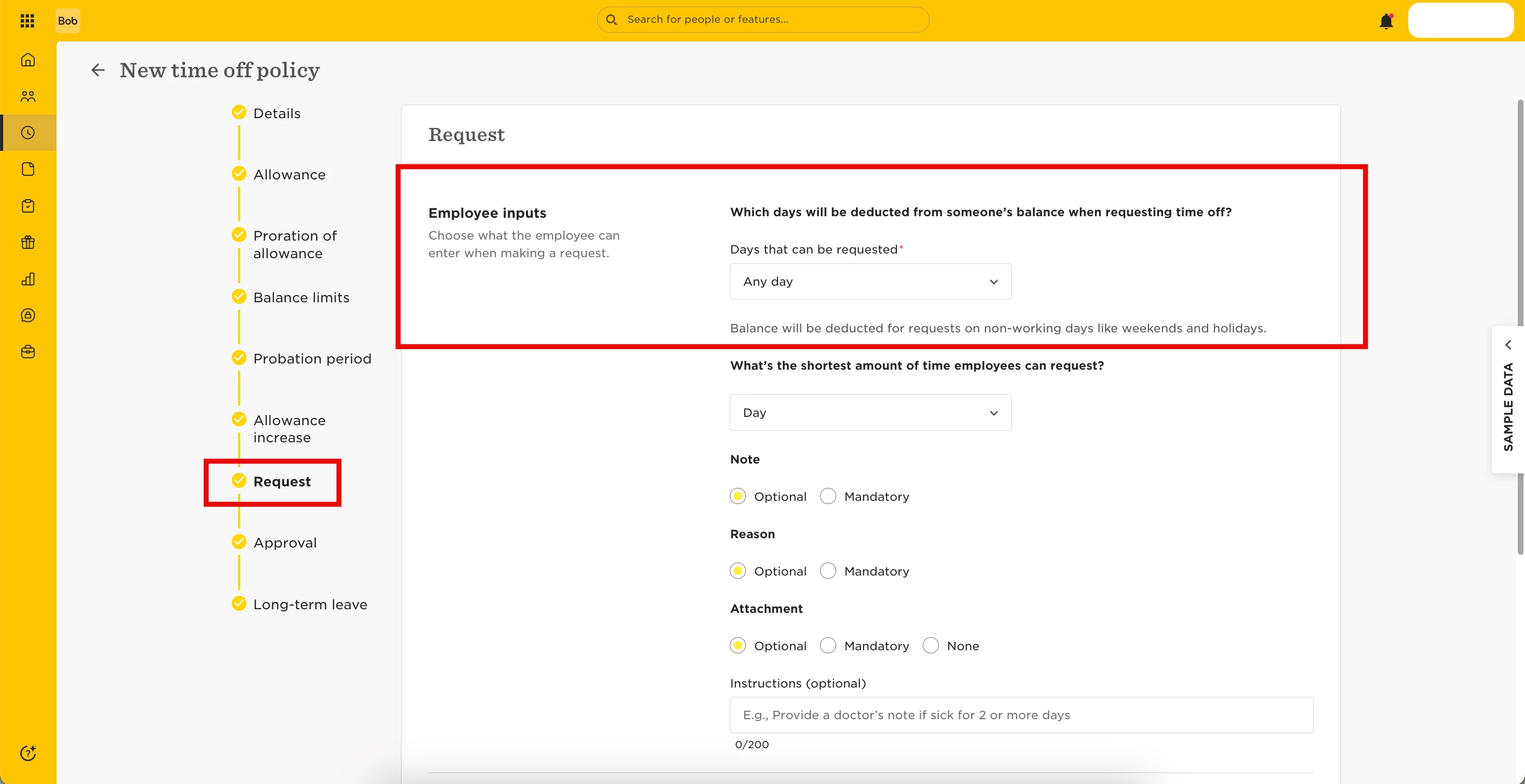
- (Any other setting is up to you)
Let Employees Sell Time Off
Brazilian law allows employees to sell up to ⅓ of their annual leave. While Bob doesn’t automate this, you can support the process using custom fields and a People Data Updates Flow.
Here’s how:
-
Create a custom category for holiday sell requests
Suggested fields:-
Date of request
-
Days to sell
-
Status (e.g., Pending, Approved, Processed)
-
-
Apply the category to Brazil-based employees only
-
This ensures only the relevant population can see and submit the form
-
-
Set up a People Data Updates Flow
-
Allow employees to submit the form through self-service
-
Route the request to HR or managers for approval
-
Once approved, make a manual time off balance adjustment if needed
-
Update the "Status" field to track completion
-
-
Adjust permissions
-
Give Brazil-based employees view-only access to the category
-
Managers/HR should have edit permissions
-
📎 Helpful resources: