Estonia - Annual Leave

  • May 30, 2023
  • 12 replies
  • 245 views

In Estonia holiday can be taken on ‘any day’ (including weekends), however it is not taken on Public Holidays. This is problematic in bob as an ‘any day’ policy will deduct balance when booking over a bank holiday. How do we configure this?

A few solutions are:

  • Adjusting Working Patterns. - USE THIS IF POSSIBLE 

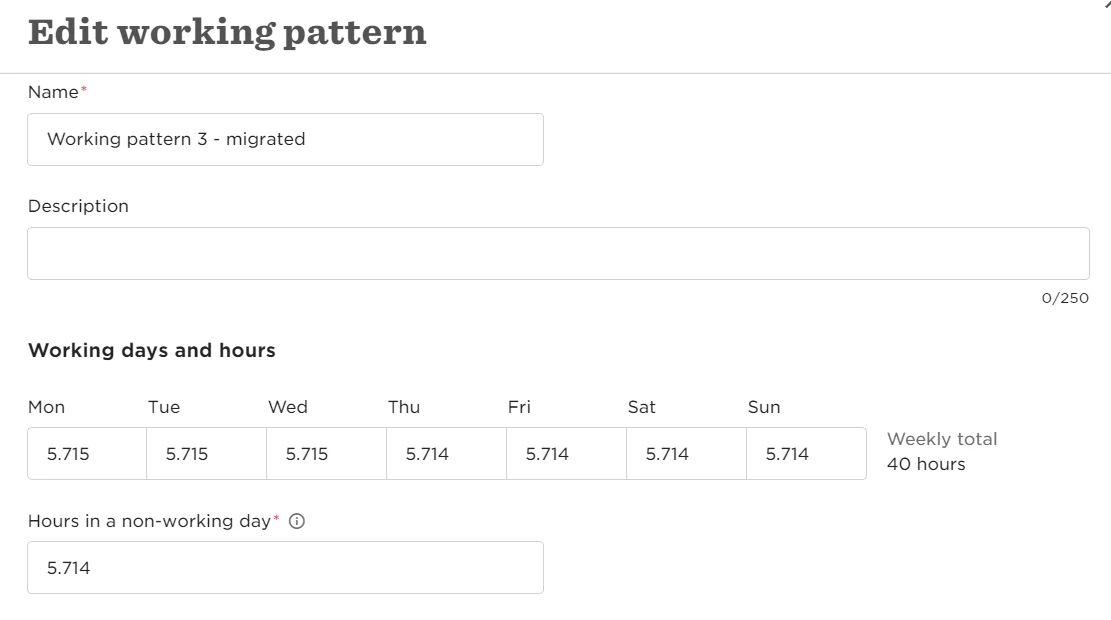
In the site set up the working pattern can be adjusted to run from Mon-Sun while still maintaining the overall weekly hours for FTE purposes. This then means that every day is considered a ‘working day’ aside from Public Holidays (as determined by the Holiday Calendar). 

Note: if you have weekend workers this may cause confusion in reporting 


  • Public Holiday Policy

Firstly, you will need to remove the Public Holiday Calendar from Employees profile OR make all Public Holidays ‘no vacation’. Then you will need to create a separate policy for ‘Public Holidays’ with the correct amount of days. Then at the start of each year HR will need to import or ‘request on behalf’ in bulk, all of the Public Holidays for employees. 

Note: This means that if an employee is booking leave before & after a public holiday the requests will need to be separated. 


  • Add Public Holiday allowance to Holiday balance - I think this is second best 

This will require creating a new Holiday policy for those who are eligible for Public Holidays. You can duplicate the existing policy and then add the number of Public Holidays for that year. 

Note: This means that employees will be responsible for booking their own Public Holidays in. HR can do this for them close to the PH day or just after.


  • Changing Public Holiday Status in Calendar 

The Holiday policy will need to be set off to include ‘any day’. In the Public Holiday Calendar all days will need to be ‘No Vacation’ at the start of the year. Then once the PH is approaching (next day) or retrospectively, HR can adjust the Calendar to say that this is a ‘Full day’ Public Holiday. This will then automatically reduce any employees balances that have booked over the holiday. 

Note: This may skew people’s balances until the day of/after the PH where it will be adjusted once HR has changed it over. 



12 replies

Heli Temper

Hi @Amiel Tobin 

That’s a great overview and trying to test the 1st option but seems like I’m missing something .. 

Calendar shows ‘not working’ and requests are ‘any day’ but the system still deducts holidays. Can you help me with understanding?  😊


  • Author
  • Bobber
  • September 5, 2023

Hi there,
Try making the policy type “working days” and see if that does the trick. You’ll still be able to book on weekends just not on holidays.


Heli Temper

Hi 


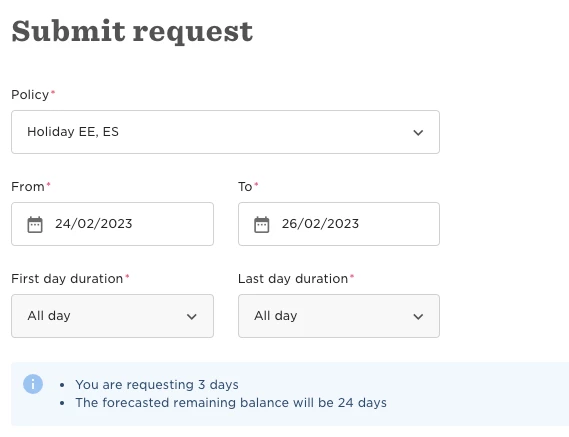
I chose Work days only and ticked the box then it counts the workdays only and not weekends. (24.02 is PH, 4 days should be requested.) Perhaps I misunderstood something?  🙈😊


  • Author
  • Bobber
  • September 5, 2023

Hi,
Did you do this part in the site settings for the Estonia site?
“In the site set up the working pattern can be adjusted to run from Mon-Sun while still maintaining the overall weekly hours for FTE purposes. This then means that every day is considered a ‘working day’ aside from Public Holidays (as determined by the Holiday Calendar). “
I would also uncheck “Let people request paid stat/bank holiday”.
Let me know if that works.


Heli Temper

Hi


Thanks for the insight. 

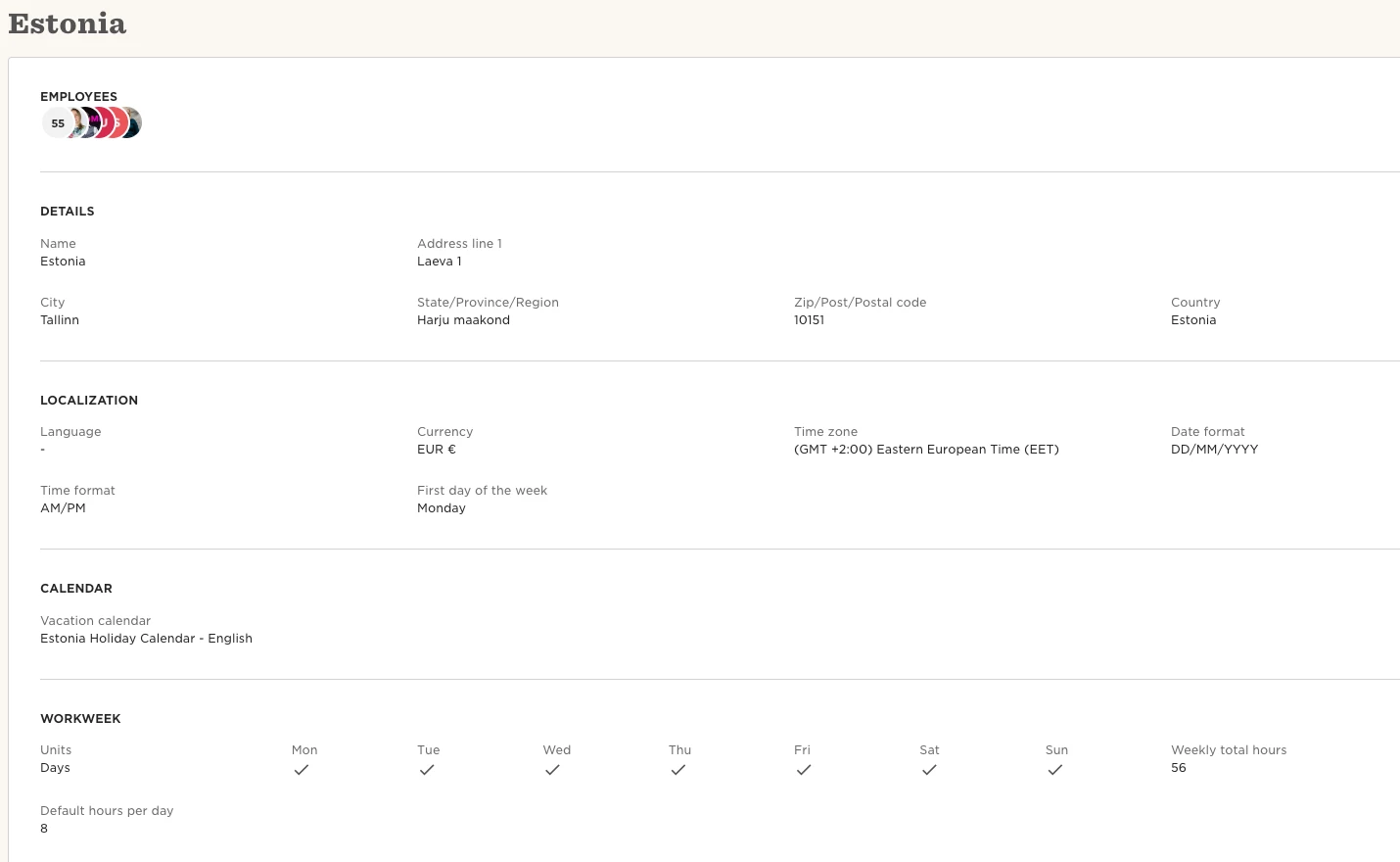
Site settings as advised:


24th Feb on Estonia calendar marked as ‘not working’:


No tick in the box ‘let people request ...’:


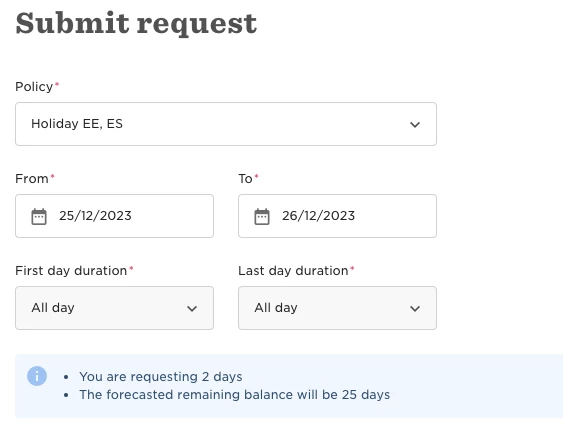
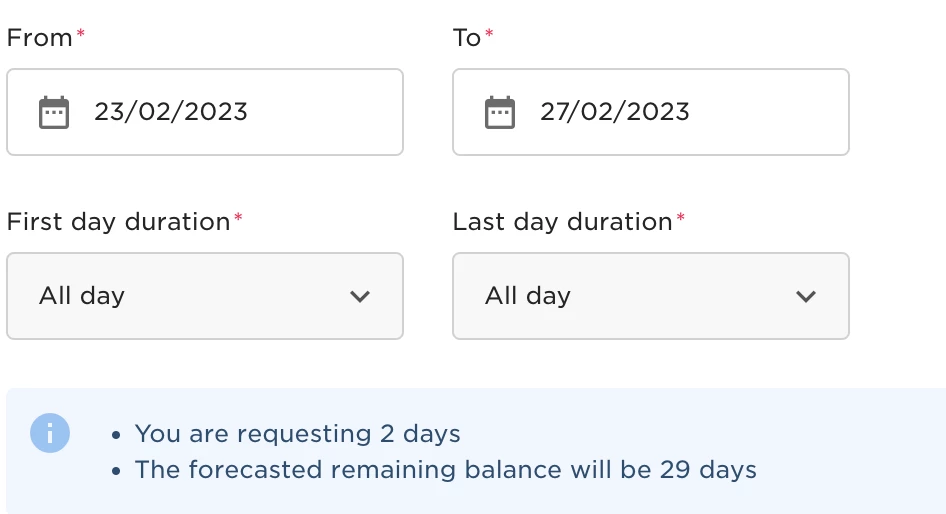
And still takes the public holiday day as vacation: 


What am I missing? 😇 🥹


BR
Heli


  • Author
  • Bobber
  • September 14, 2023

Hi,
the policy should be working days only not “any days” like you showed in the picture.
That should let you book on weekends but not on holidays.


Heli Temper

@Amiel Tobin YAYY!

It seems like it’s working now 🤩🤩

Thank you so much for your patience! 😇


Maire Kattel

Hi


Thanks for the insight. 

Site settings as advised:


24th Feb on Estonia calendar marked as ‘not working’:


No tick in the box ‘let people request ...’:


And still takes the public holiday day as vacation: 


What am I missing? 😇 🥹


BR
Heli

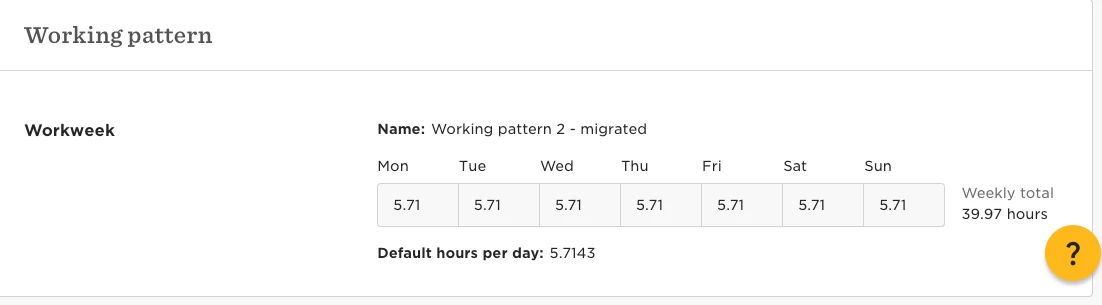
Hi @Heli Temper Can I ask you about the Weekly total hours in the Workweek under site settings? Doesn’t this cause any issues anywhere else across Hibob if the weekly hours are over 40 as the regular working hours usually are? In the reports or the hourly salary rate maybe? Just an example I could think of. Why I’m asking is our implementation manager advised us to have the 40 days per week divided by the 7 days and now it’s set up like this for us:


We are planning to move the time off requesting to Hibob soon and it was great to read that the solution proposed by @Amiel Tobin worked for you but got curious if it might have an effect anywhere else that we should be mindful of.


Maire Kattel

Hi, I would be very grateful if anyone that is using time off in Estonia could share how you have set the site working days and hours in Hibob, either as 8 hours or like we have done based on the suggestion from our implementation manager :) @Heli Temper @Kati Evart or can you advise @Amiel Tobin ? Thank you in advance!


Heli Temper

Hi, I would be very grateful if anyone that is using time off in Estonia could share how you have set the site working days and hours in Hibob, either as 8 hours or like we have done based on the suggestion from our implementation manager :) @Heli Temper @Kati Evart or can you advise @Amiel Tobin ? Thank you in advance!

Hi @Maire Kattel 

We had 8 hours per day but if we did that, the holiday excluding system didn’t work. The moment we changed the working week as seen below, Amiel’s solution worked.  Our actual working days are Mon-Fri so it’s not 100% accurate but at least it helps with calculating time off days correctly without manual work. 

Let me know if you need any more help :) 


Ellen
  • June 6, 2024

Thank you so much for this overview, I will definitely test the first one, we currently have the second option.


Heli Temper


Hello


I’ve encountered another issue.


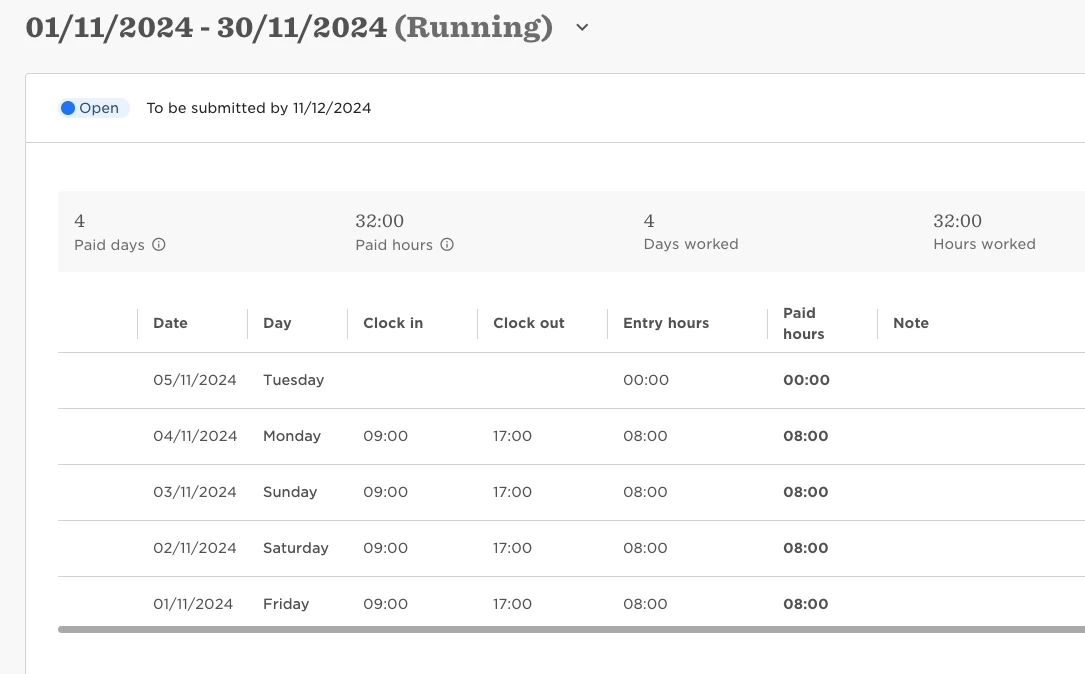
We implemented what was described above. Unfortunately, now that we’re preparing to start using the Time & Attendance module, we’re facing a new problem. There’s a convenient ‘quick fix’ button that automates clock-in and clock-out, minimizing manual entries. However, for our Estonian setup, the system includes Sunday and Saturday when we use this feature. 😕

Manual clock-in and clock-out, or deleting extra entries, isn’t feasible either, as it doesn’t align with our goal of automating processes as much as possible.

Are there any recent updates that might help resolve this initial issue? Perhaps these updates could also help us with our current challenge?


Looking forward to any good news! 🙏