To give permission to an employee to view compensation Bands, a custom group will need to be created.
- Go to Settings > Account > Permission groups > Create group;
- Add employee as member of the group;
- After creating the group, enable the following permission:
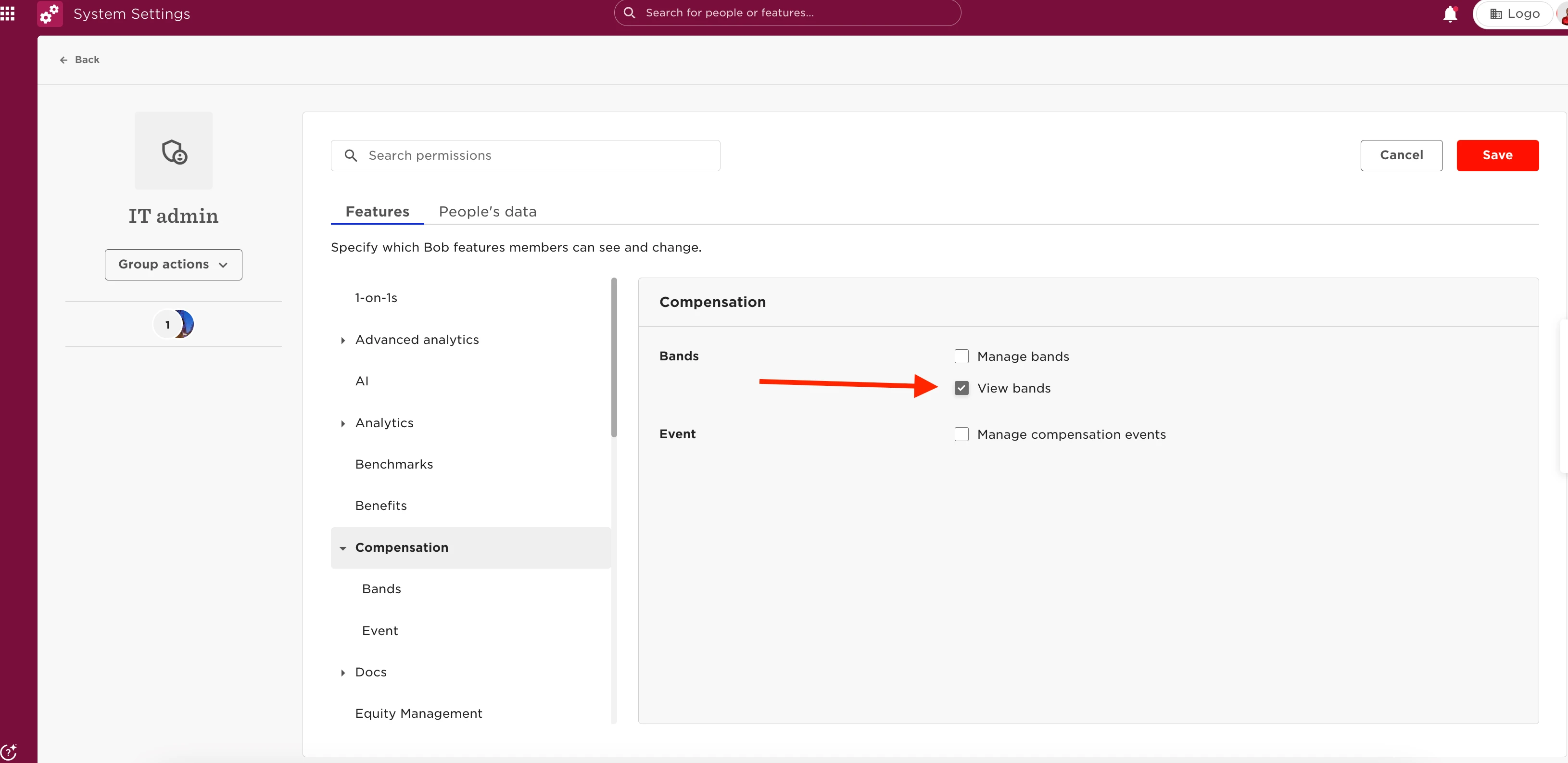
With this permission, the employee will be able to view all compensation Bands created, it won't be possible to restrict what Bands they view.
They will view the employees they have permission to see, and won't view everyone's details.
Band Access Groups
Use band access groups to give selected people access to specific compensation bands without giving them visibility of every band in Bob.
Previously, granting the View bands permission through a permission group gave employees access to all compensation bands.
Band access groups provide more granular control by allowing you to define which bands specific people can access.
To manage access to compensation bands:
- Go to Compensation > Bands.
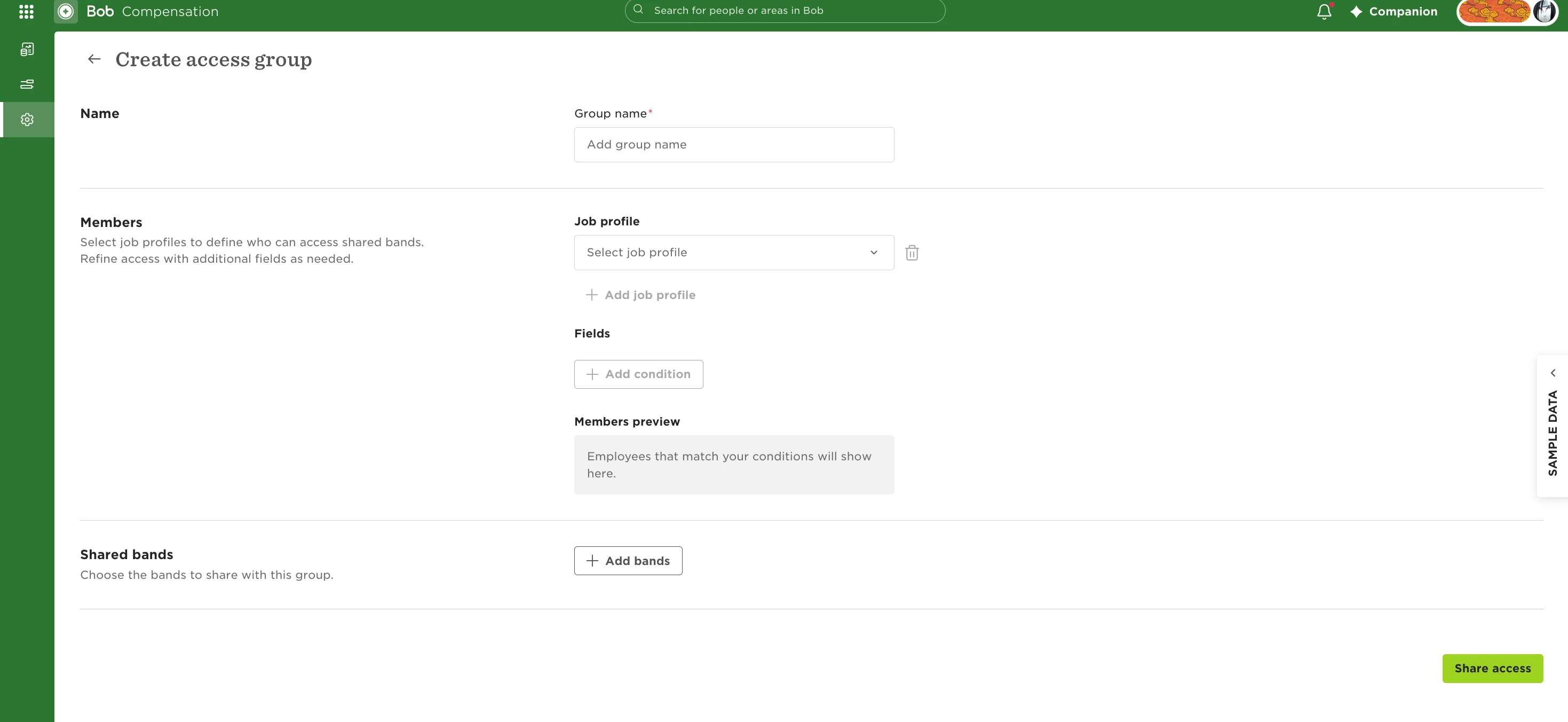
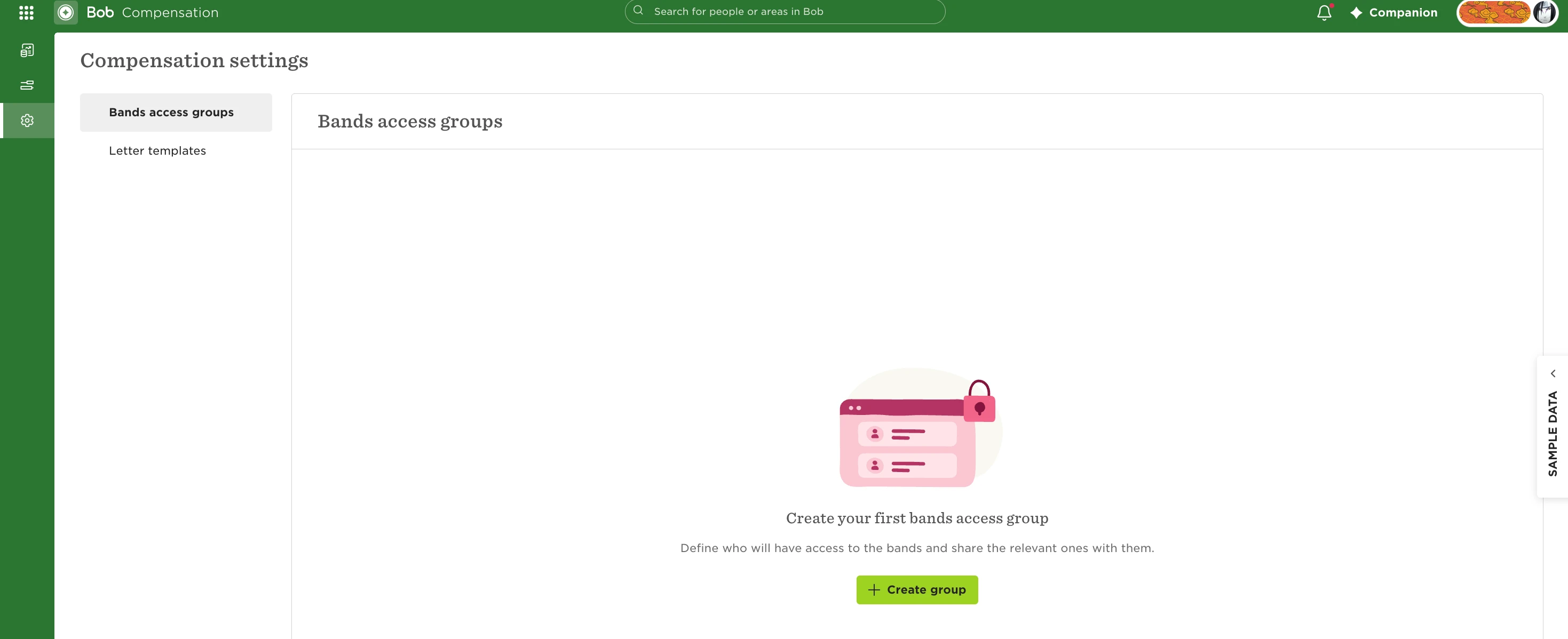
- Create or manage a band access group.
- Define who should be included in the access group based on their job and the conditions you set.
- Select the compensation bands that members of the group should be able to access.
- Save your changes.
This means you can give selected people access to the bands relevant to them instead of allowing them to view every compensation band in the system.
For them to access the bands, you just need to create the group; it's not necessary to grant them the permission "View Bands".