

If employees with an "Hourly" Pay period set in their Salary table appear with "0" under the "Current base salary" column in a compensation worksheet, the issue is likely related to missing permissions for the Employment category section history.
This only occurs when the worksheet Pay period is set to:
- Annual
- Monthly
If the worksheet is set to Per participant, the salary displays correctly even without Employment section history permissions.
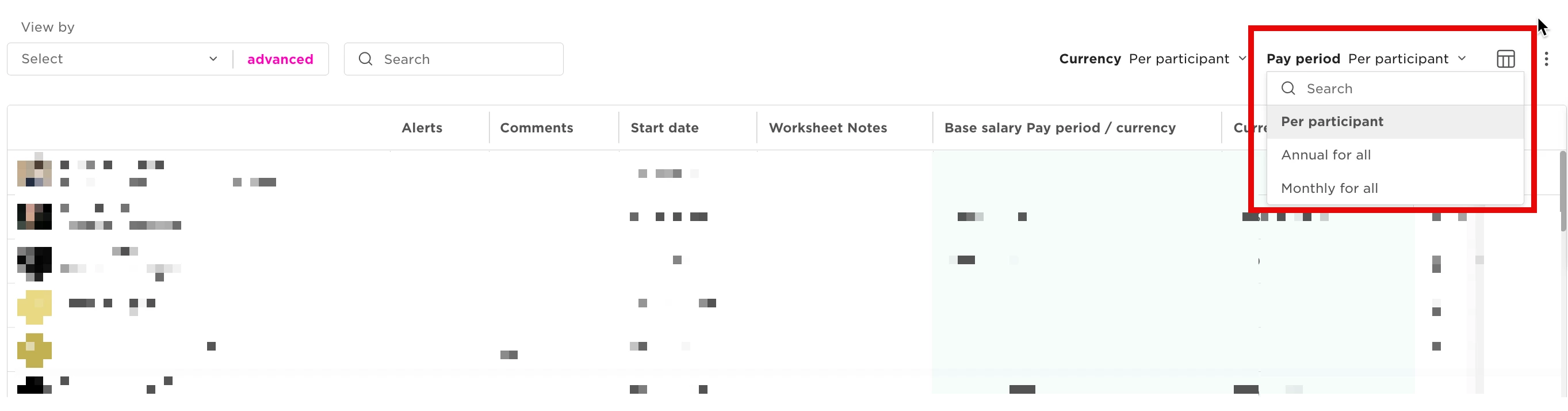
Why This Happens
When the worksheet view is set to "Annual" or "Monthly" Pay periods, Bob needs to calculate the salary value for employees whose pay period is set to Hourly.
To perform this calculation, the worksheet uses information stored in the Employment category, including section history data.
If the planner does not have permission to view:
- The Employment category
- The Employment section histories
the worksheet cannot calculate the salary correctly, causing the value to appear as 0.
How to Resolve It
Grant the planner:
- View access to the Employment category
- View access to Section histories for the Employment category
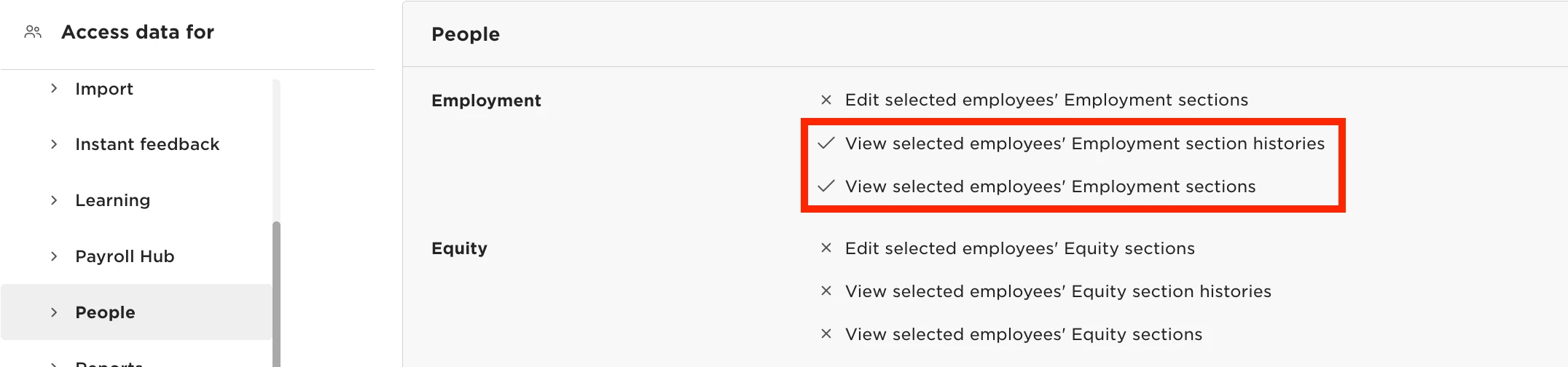
After enabling both permissions, the worksheet should correctly display salary values for hourly employees when using Annual or Monthly pay periods.