
In order for the planner to see the details related to the Equity and/or Payroll (salary, variable pay, etc...) that planner needs to have the relevant view permissions for ALL the employees under he’s/her’s worksheet in the permissions group.
This include:
- Overall budget/spent
- The relevant columns
This is when the permissions are available:

This is when the permissions are not available:

The relevant permissions are related to information (salary, variable pay, equity, etc) in the event planners need to have visibility over that information on the employee's profile;
Please see the screenshot attached:
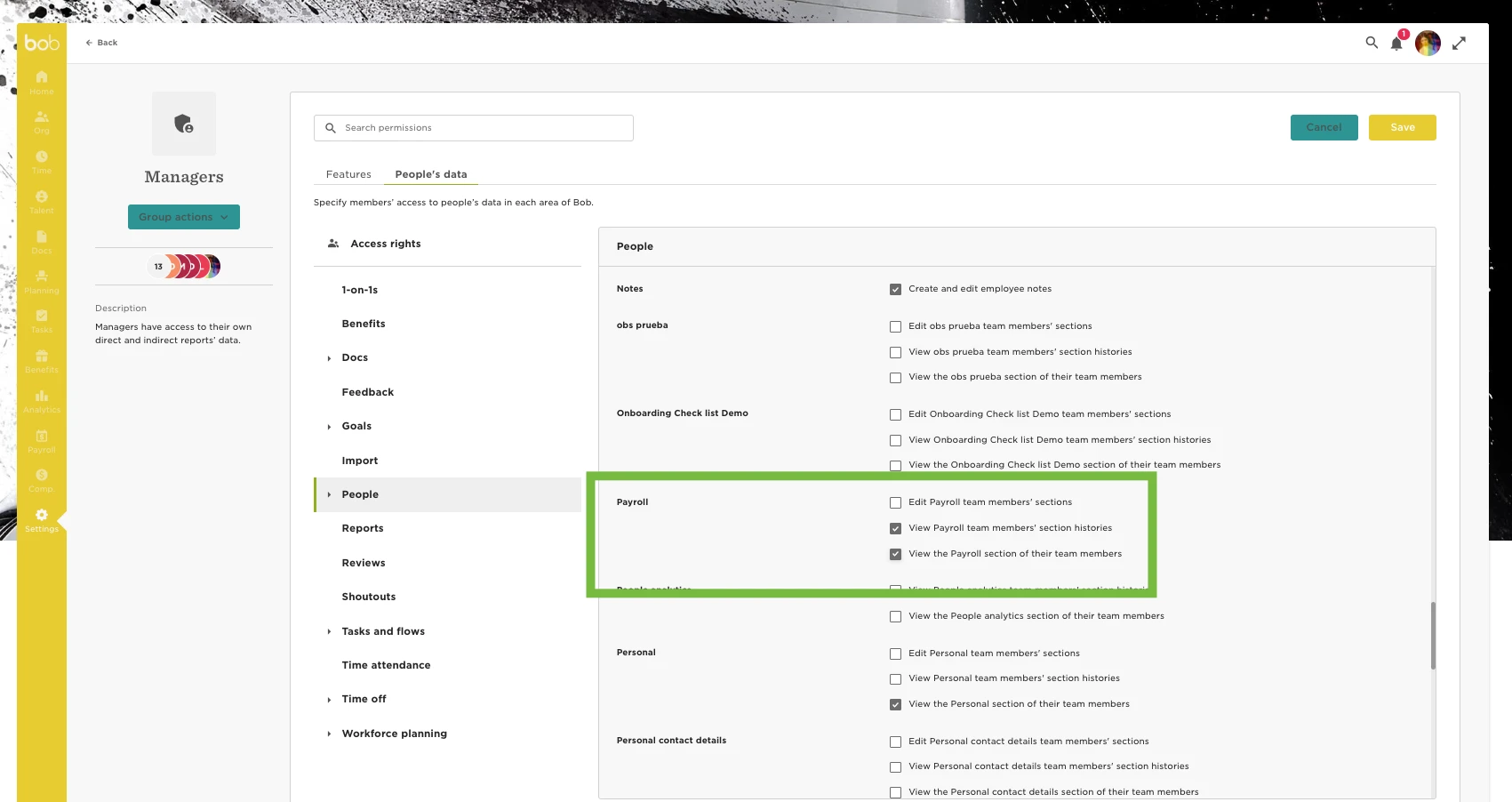
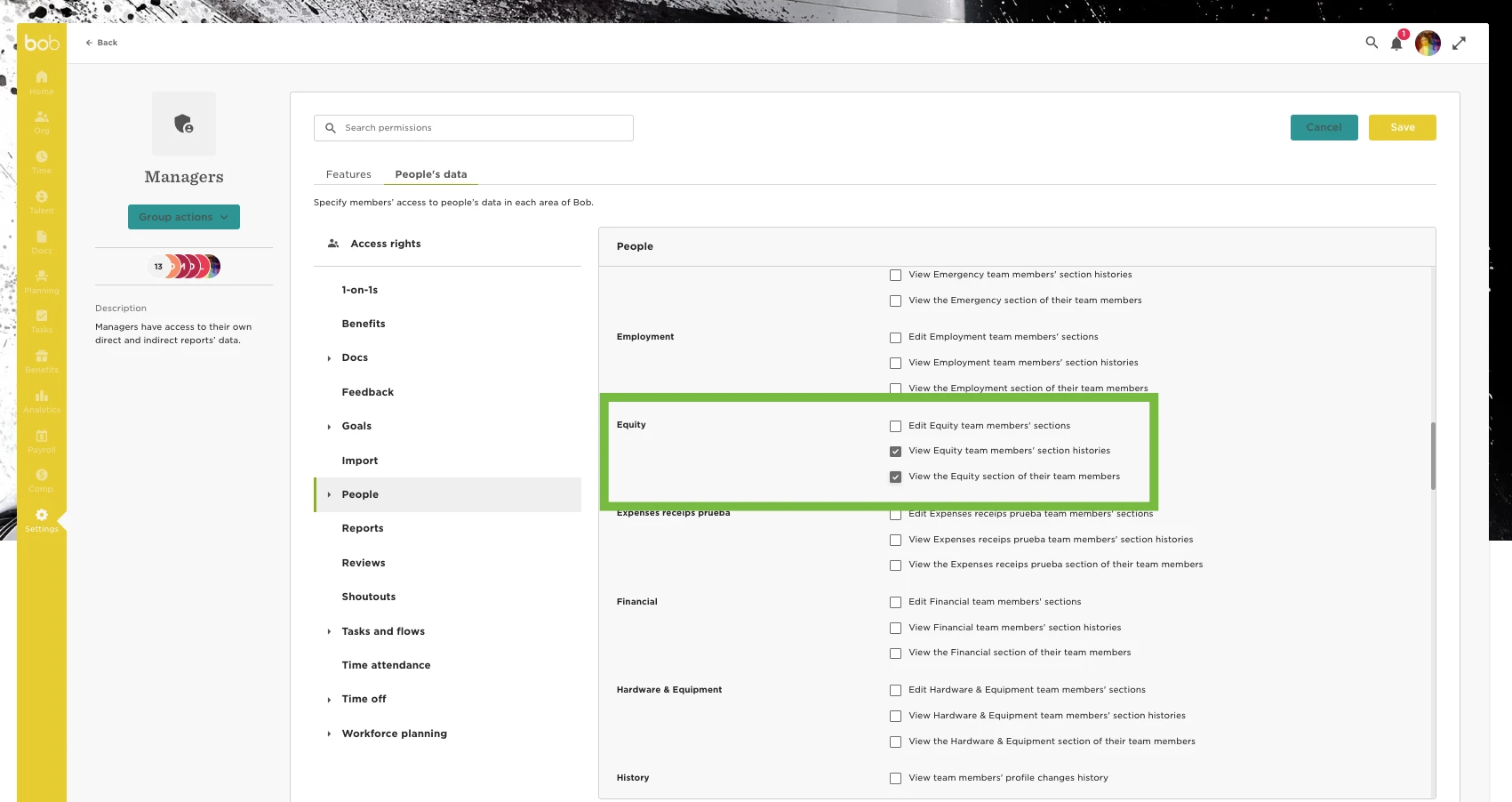
In this example, Managers are planners: If you go to Settings - Permission’s group – Managers - People’s data - People - Payroll - Enable visibility permissions, and the same with the Equity section if necessary.
For planners to be able to see conversations of hourly/daily paid employees when switching between the monthly and annually, you will need to ensure that the planners have permission to both the employment and employment history.
Note that if the planners don't have permission for this information even for one of the participants in the worksheet, the system will not display any data.