

When setting up a compensation event, you have two options for assigning participants to Planners:
-
By the ‘Reports to’ hierarchy
-
By a custom employee reference field (Roles)
To use the second option, you’ll need to ensure a few things are set up correctly.
Only custom fields are supported
When choosing "By employee reference" in the worksheet setup, only custom-created employee reference fields will appear in the dropdown.
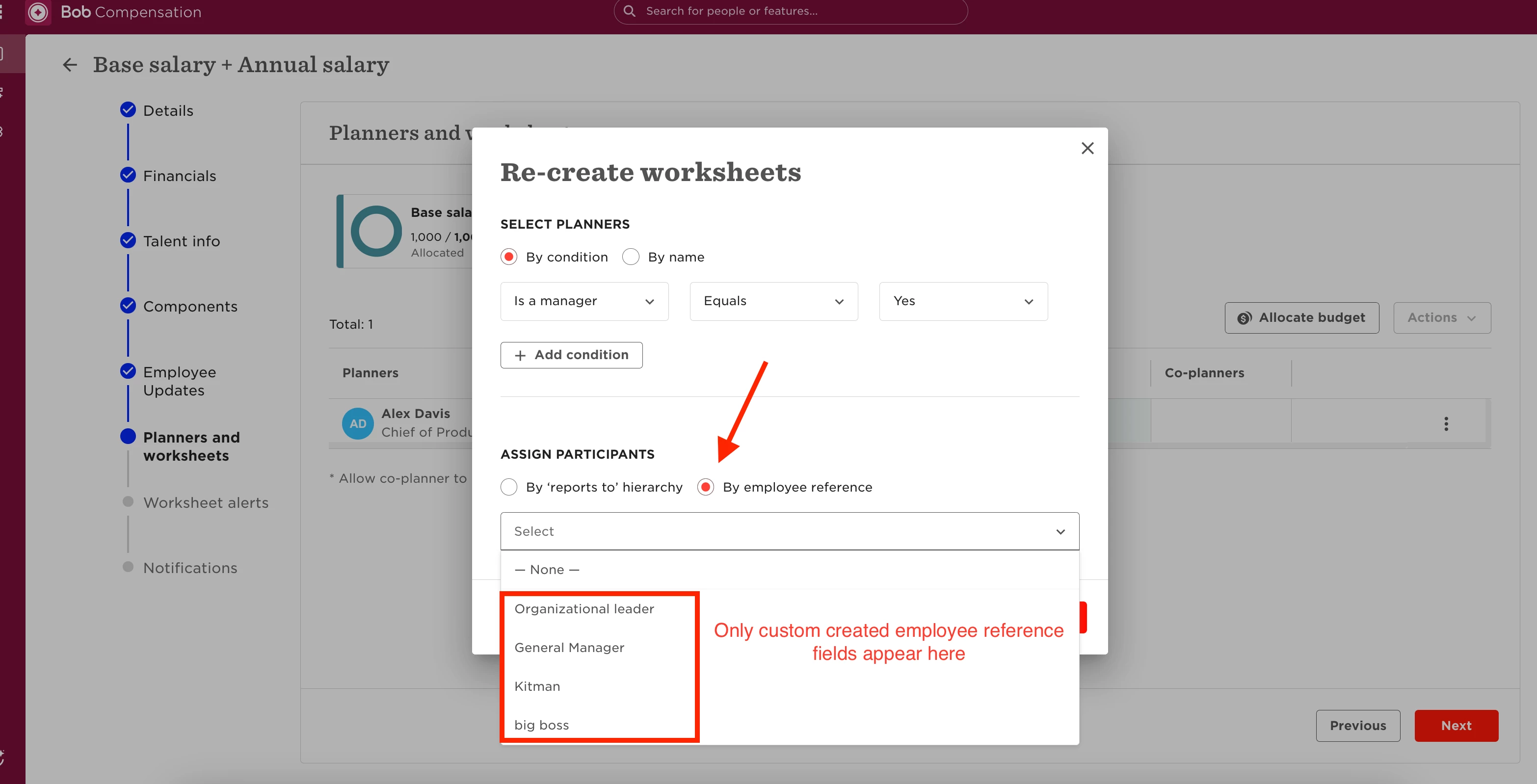
Fields like Second-level manager or Buddy are system defaults and cannot be selected here.
What defines the participant structure
If a custom employee reference field is selected:
-
The system uses the hierarchy of that field to assign participants to the appropriate Planner
-
As long as the reference field is complete and loop-free, participant assignment will follow the structure correctly
If participants appear unstructured or aren’t assigned as expected, the issue may be due to a loop in the reference field (e.g., someone assigned to themselves or circular reporting).
To troubleshoot, follow this guide:
🔗 Comp event setup: EE reference field not being set up correctly