Compensation Reminders - What triggers the email notification?

  • May 20, 2024 6:35 PM UTC
  • Sep 16, 2024 11:35 PM UTC
  • 6 replies
  • 180 views
  • Translate All

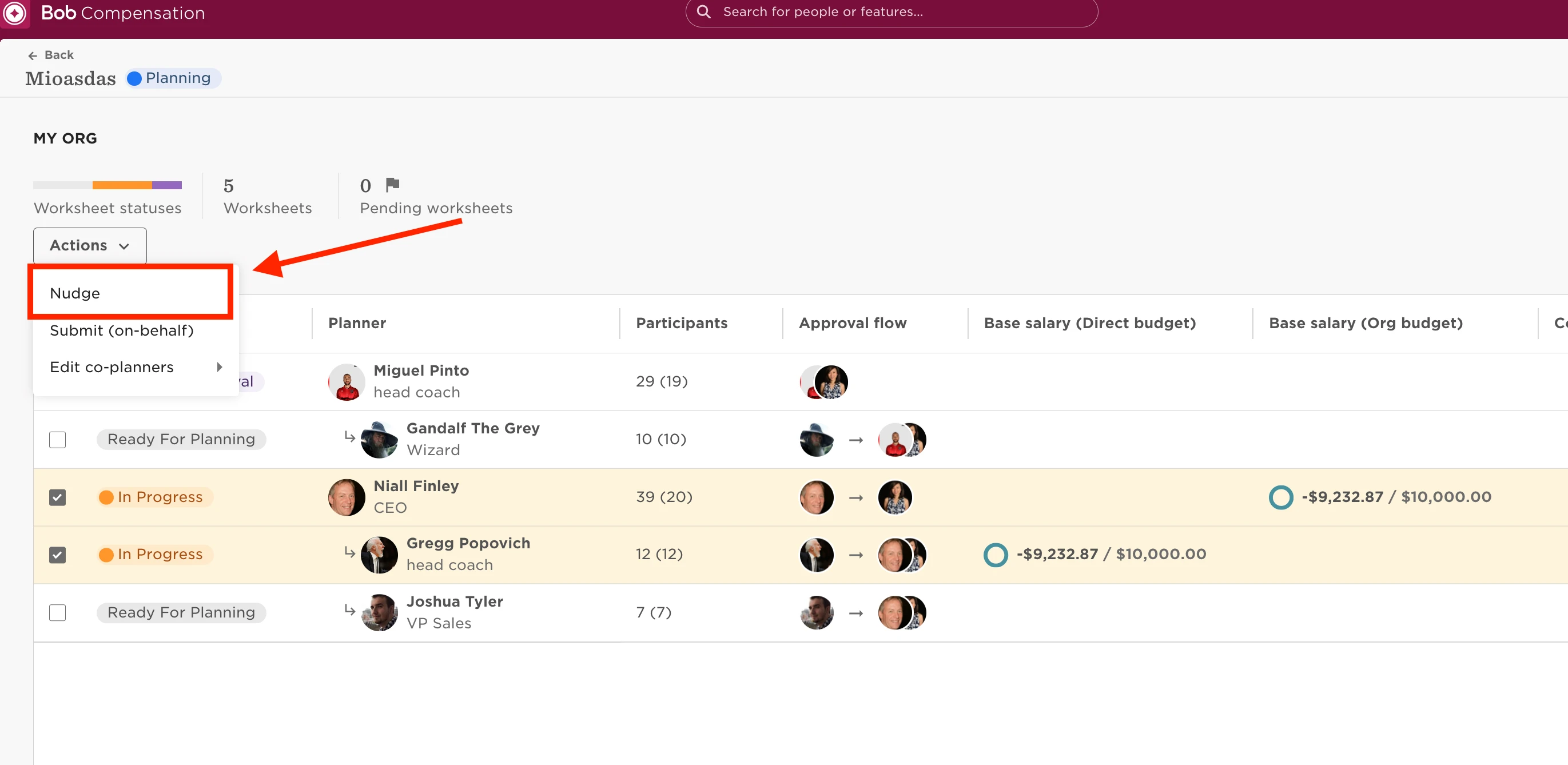
In order to trigger reminders for employees to submit or complete their worksheet, you’ll need to manually nudge employees through the compensation event page.

Here is how to do it:

  • Go to the compensation event page;
  • Select the worksheets in review;
  • Actions;
  • Nudge planners:


6 replies

When the admin uses the nudge feature, does the notification go to all planners or only the ones who have not completed the worksheet? 

Translate

Maital Terdiman
Bobber

hey ​@Avni Upadhyay 

When the admin uses the nudge feature, the notification goes to all planners who have not completed the worksheet. The nudge feature is used to send reminders to planners to encourage them to complete their tasks or worksheets. It specifically targets those who have yet to submit their work, ensuring that the notification is sent only to those who need to take action.

Translate

  • Dec 9, 2024 10:04 AM UTC

Hello ​@Naama Oron & ​@Maital Terdiman 

Thank you for the above.

We observed today that Compensation events do not have a start or end date for the event. As described above, does it mean we can only nudge a planner to complete the worksheet as the event cannot be approved with pending worksheets?

Also, understand that the reminder emails from the setup will be only sent during the nudge and not any other time. This was our other query which is now resolved. Thank you.

Regards,

Mona

Translate

  • Dec 11, 2024 3:06 AM UTC

​@mona To complete and submit the worksheets they can be nudged as you mentioned for the reminder.

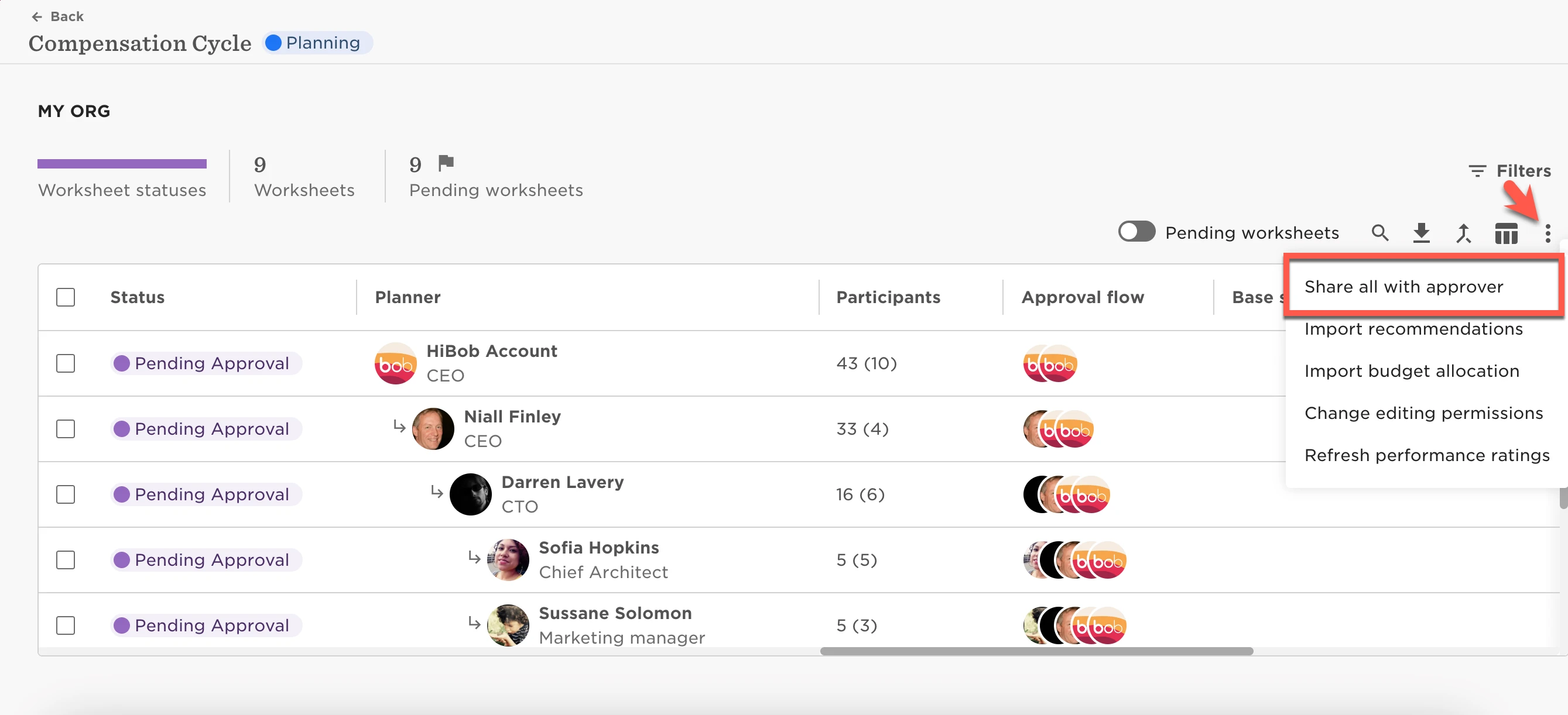
Once all worksheets are in status Pending Approval status, click Share all with approver to notify the event approver to enter and approve the event. To learn more, see also how to end a compensation event.


As event approver - Approvals:

​​​?name=inline-881077814.png

Translate

  • Dec 12, 2024 2:18 AM UTC

Hi Pranhita, 

Thank you for your response. We are aware on the share to approver button once the worksheets are in pending approval status. We only wanted to confirm that Comprensation events have no start date and end date and completely dependant on the launch date and completion of worksheets. Thank you.

Regards,

Mona

Translate

Maital Terdiman
Bobber

Hi ​@mona 

The Compensation events are not determined by start/launch or end dates 🤓

Translate