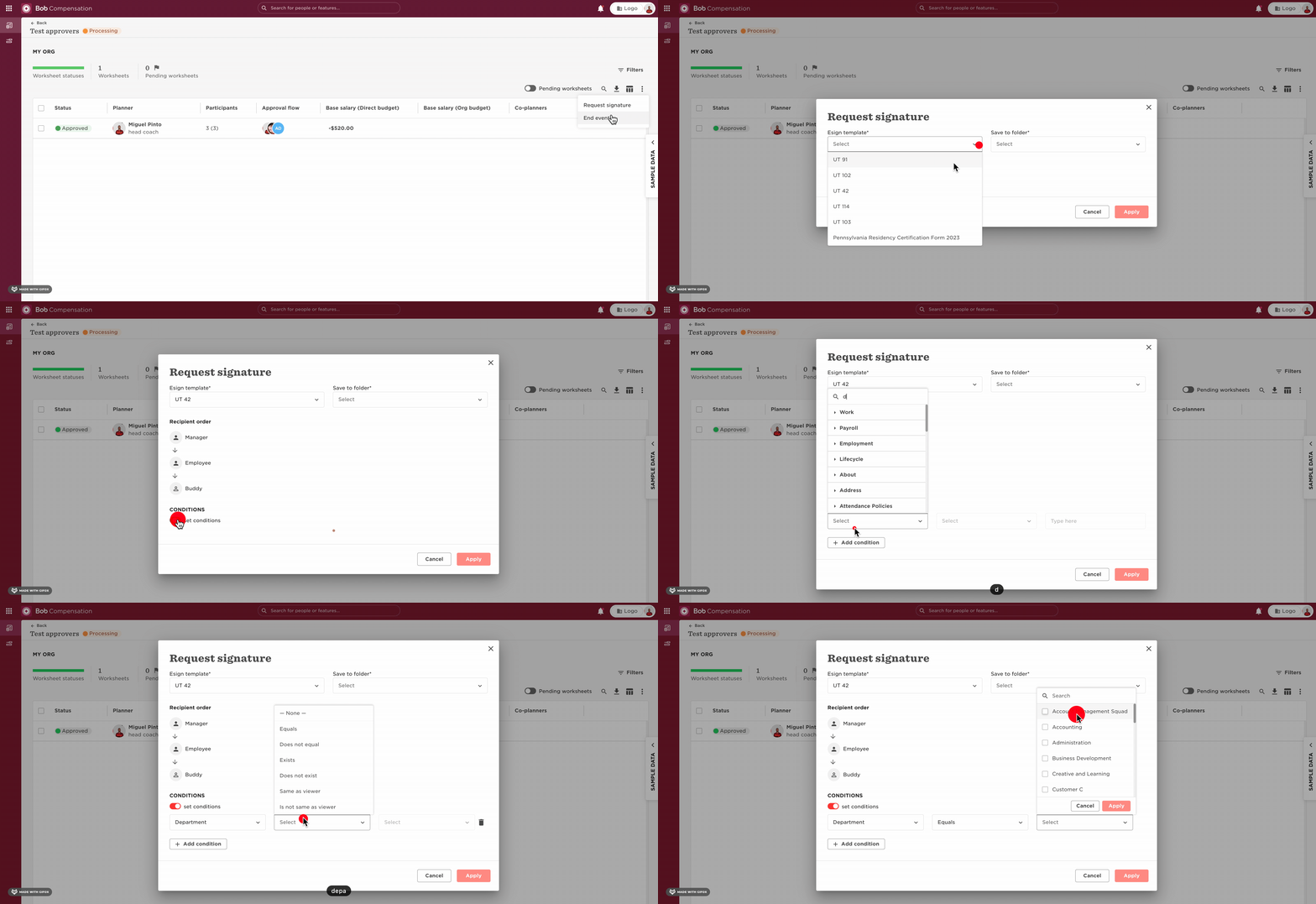
When completing a compensation event, you’ll have the option of using the ‘Request Signature’ option to send out letters to employees. From there, you can set up who can receive the eSign document to sign, choosing all employees or using conditions.
Here is how to set those conditions:
- Go to the Compensation event;
- Click on the 3 dots;
- Request Signature;
- Select the eSign template and the folder;
- Select to send to all employees or use certain conditions: