When creating a compensation event to review Actual payments, you have 2 options to select:
- One time payment, which is calculated according to the employee's annual base salary;
- Variable plan, that is awarded according to the performance % set in the payroll category in the employee's profile.
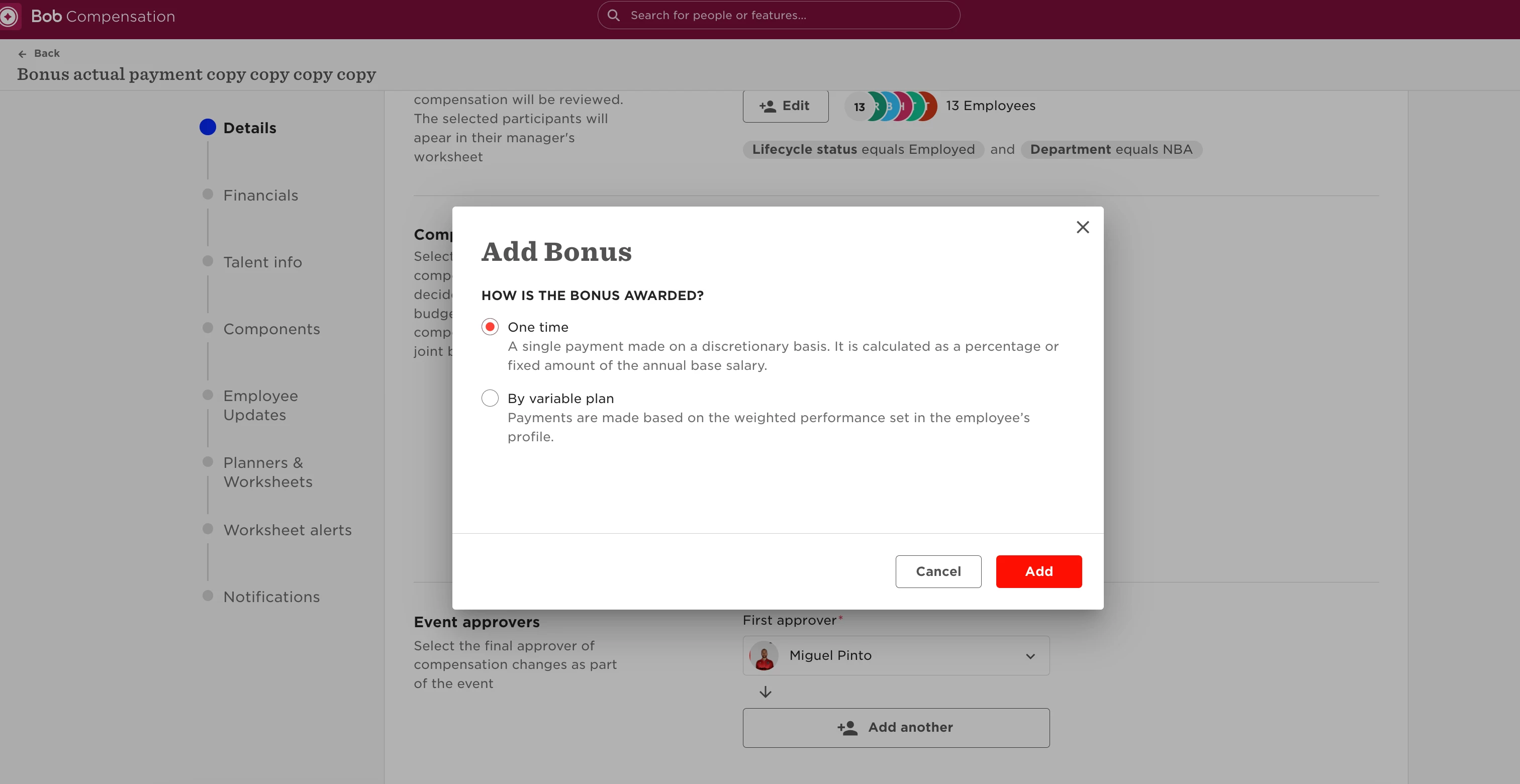
With the variable plan option, it will pull the Bonus set in the employee's profile, which is then divided according to each Performance % set in their profile:
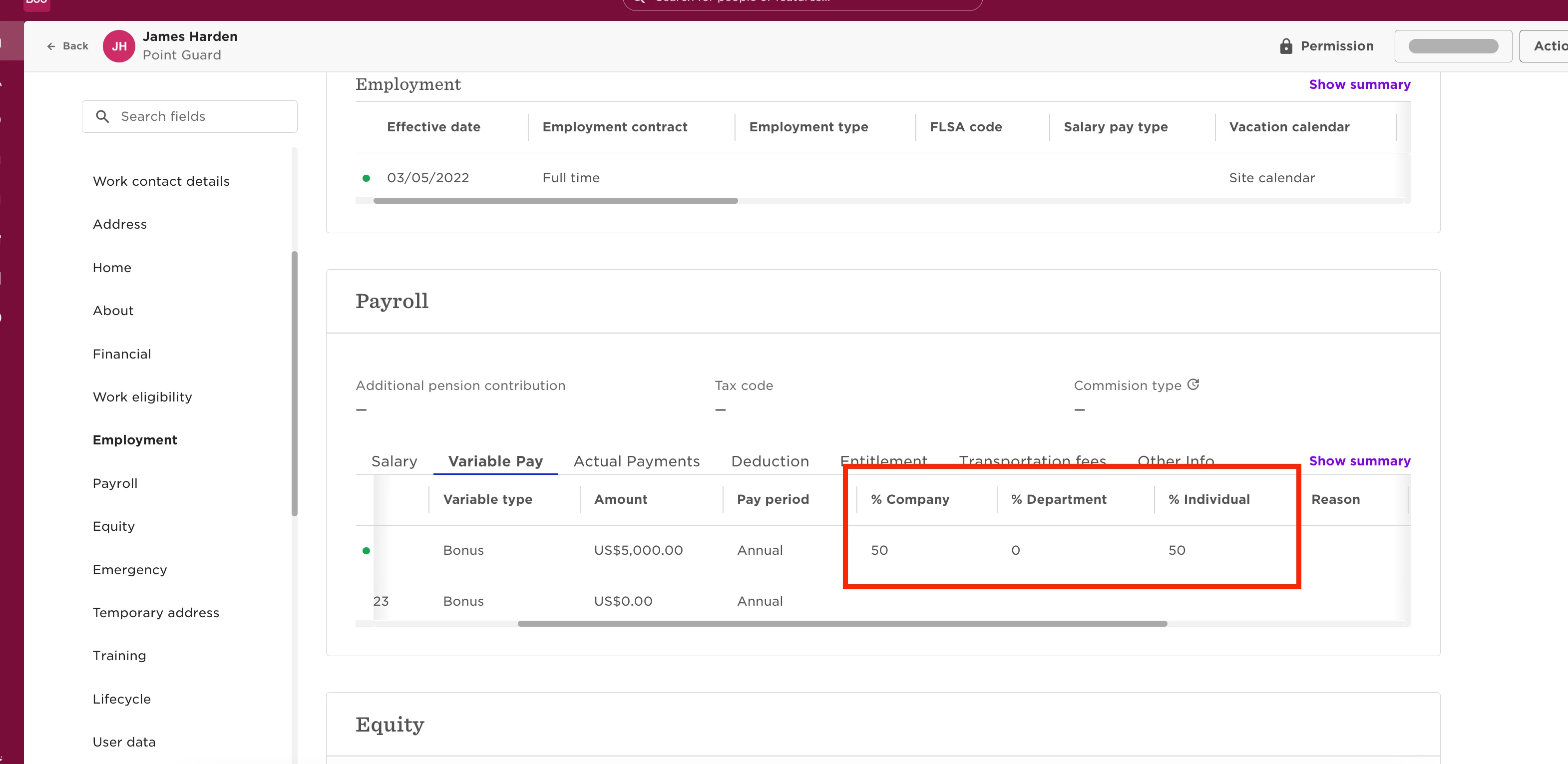
As an example, here the employee has a Bonus of 5000USD, 50% of it is weighted according to company performance, and the other 50 % will be individual performance.
In the compensation event, the bonus will be divided according to the percentage, which you can then award the employee according to the percentage set in each performance type:
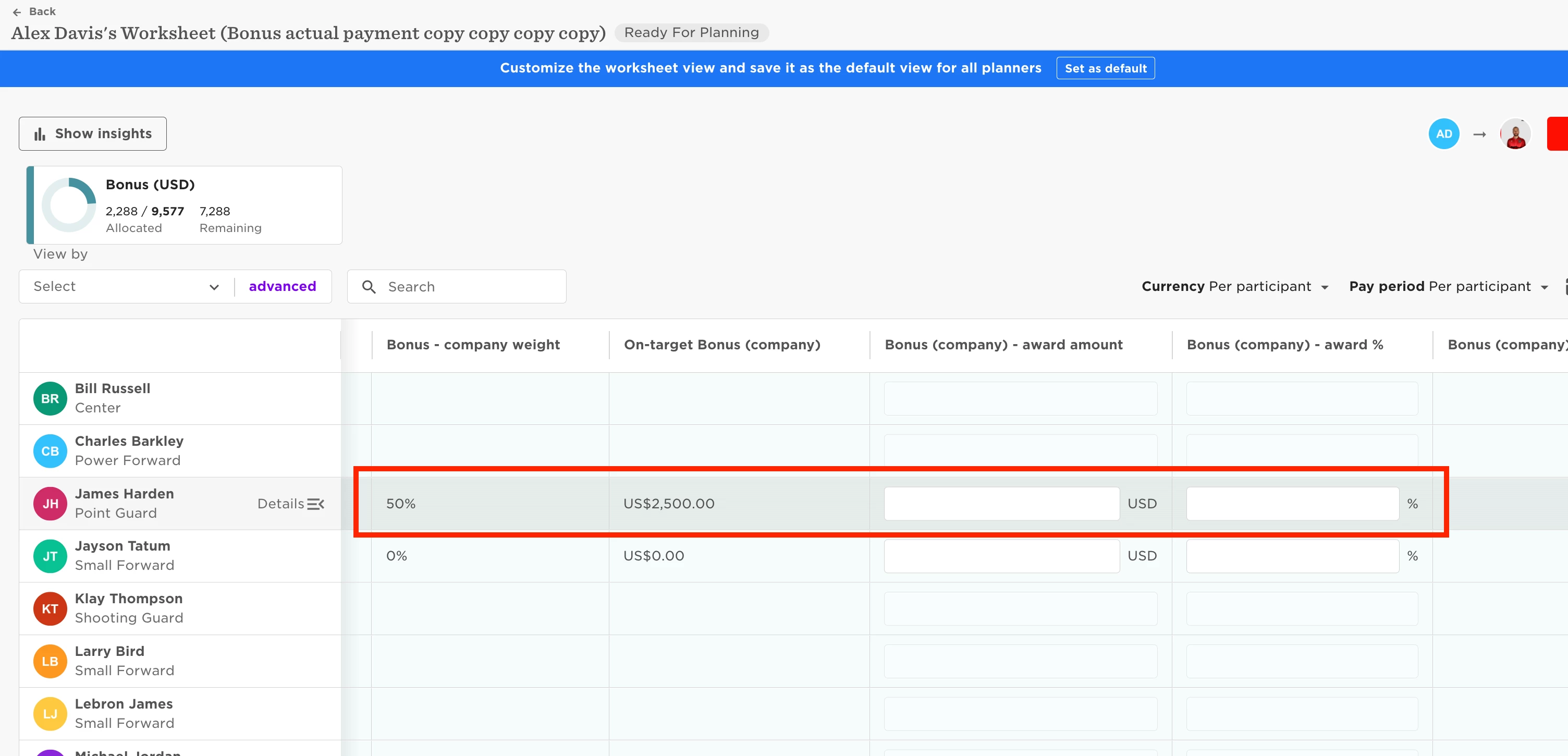
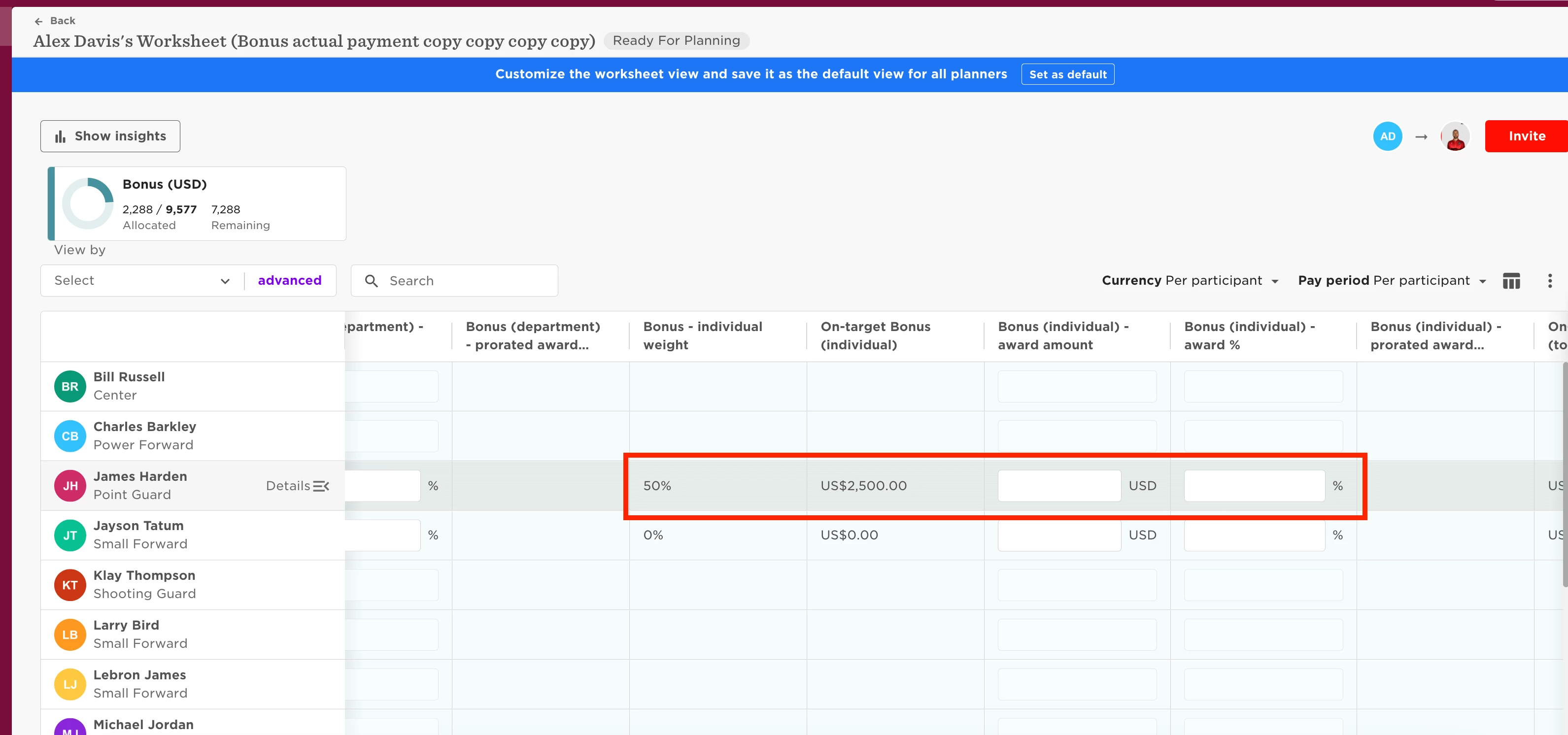
If I opt to award the employee 100 % of individual bonus, and 50% of company performance bonus, then they will be awarded 3750 USD.
This value is always prorated according to the employee's FTE% as well, and will be taken into account when calculating the final Bonus payout.