

If a co-planner can open a compensation worksheet but the recommendation fields are greyed out and they can't submit the worksheet, check the co-planner permissions configured for the compensation event.
Co-planner access is controlled by the Allow co-planner to setting under Planners and worksheets.
To allow co-planners to edit recommendations and submit their worksheet:
- Open the compensation event setup.
- Go to Planners and worksheets.
- Find Allow co-planner to.
- Select Submit and edit recommendation.
- Apply and save the change.
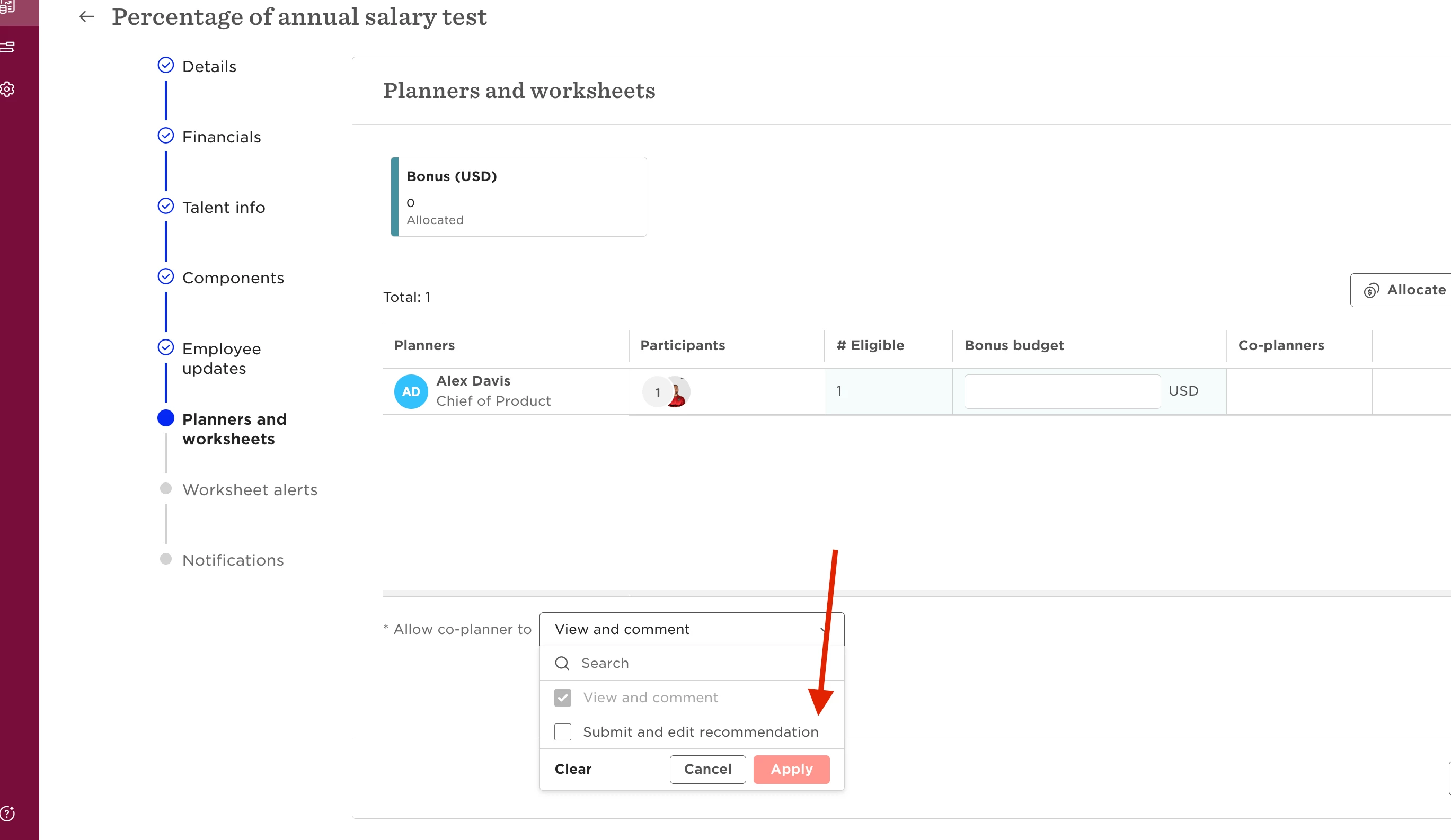
If View and comment only is selected instead, co-planners can access the worksheet, but the recommendation fields will be disabled and the option to submit won't be available.
What if the compensation event has already been launched?
You can update this setting while the compensation event is still in Planning status.
If the event has already been launched, the setting can't be changed. Duplicate the event and select Submit and edit recommendation for co-planners when setting up the new event.