How to find and access my other modules in Bob

  • May 29, 2024
  • 2 replies
  • 206 views

All of your company’s modules now live in a new menu called Bob Products.

This menu can be found on the top left of your screen in Bob. From here, you can click on each of the modules to access.

Users (managers and employees) will only be able to see modules that they have permission to see — if they do not have permission to see Compensation, for example, they will not be able to see it in the menu (unless they are an admin).

  1. Go to Bob
  2. Select the Bob Products menu icon, which can be found in the top left of the screen
  3. Click into any of the modules you wish to access

az6tuXw65jyV82IsRMMgCz8HVx3-6pteZnAveuDEajVHSSAoLUe9EV2dGvxvpXDJRdHijz18-2lqWb_onsSUQGWv0jAVpfNx4YwLHBJcB61iPRKG8wJcJ2RFpqXEhfcY8yI2TBpgMa_hcIYmjM8K53M

2 replies

Hi, can you restrict access to modules for different sites? If so, how?


Netta Brodsky
Bobber

Hi ​@Jennifer Dolan Thanks for the follow-up 🙏🏻

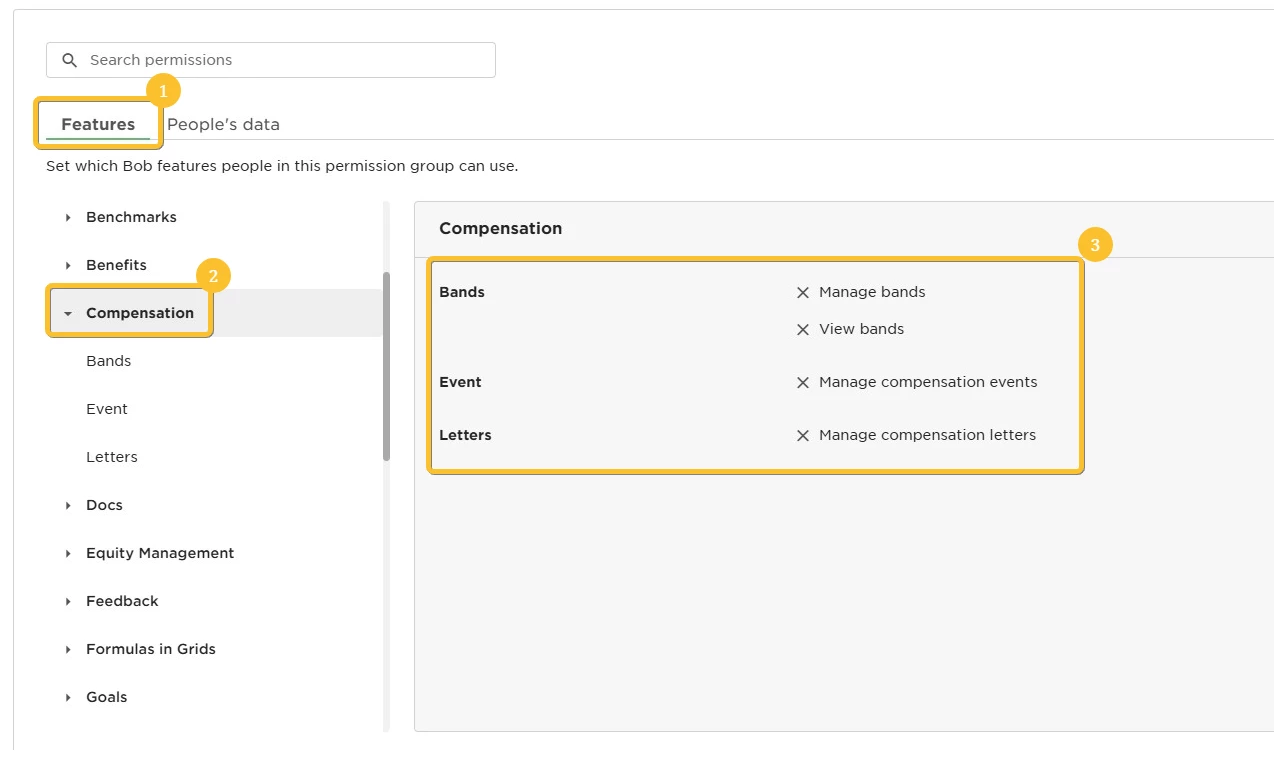
Yes, you can restrict access to modules for different sites in Bob. Users, including managers and employees, will only be able to see the modules they have permission to access. If a user does not have permission to see a specific module, such as Compensation, it will not appear in their menu unless they are an admin.

For example - in order to prevent a user from accessing the Compensation module under the Features section in the permission group settings, you need to make sure not to grant any permissions related to that module.