

Use this checklist to review benefits-related items that may affect your 2026 year-end payroll and reporting.
This checklist is for tax year-end readiness. For benefit renewal or Open Enrollment preparation, refer to the separate Benefits Renewal Readiness Checklist.
Complete ACA reporting and submit to the IRS
ACA reporting reflects employee and coverage information for the full 2026 calendar year, regardless of your benefits renewal date.
If ACA reporting applies to your organization, Forms 1094-C and 1095-C are used to report applicable employer coverage and enrollment information to the IRS and applicable employees.
For 2026 reporting, provide Form 1095-C to applicable employees by 03/02/2027 and submit Forms 1094-C and 1095-C electronically to the IRS by 03/31/2027.
Before submitting:
- Review employees with hires, terminations, rehires, leaves, employment-status changes, or eligibility changes during the year.
- Confirm employee and dependent details are complete and accurate.
- Review coverage history and offer-of-coverage information for accuracy.
For employers subject to ACA employer requirements, incomplete eligibility or offer-of-coverage records may create potential employer shared-responsibility penalties if a full-time employee was not offered qualifying coverage when required and receives a Marketplace premium tax credit.
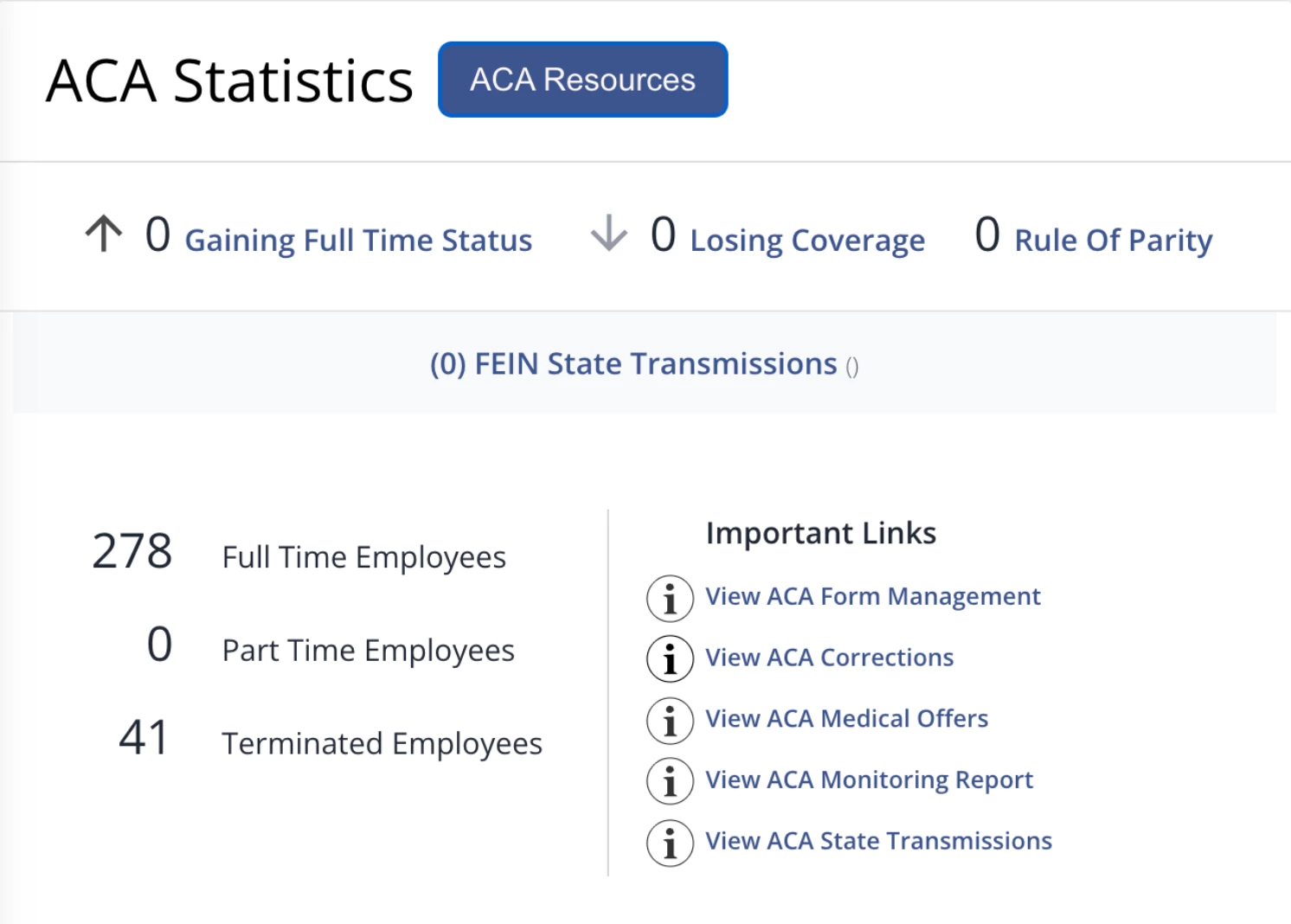
For step-by-step guidance on preparing and submitting ACA forms, go to the ACA Statistics section toward the bottom of the PlanSource main page and select ACA Resources.
If you experience an issue while completing your ACA submission, contact the Customer Experience Team for assistance.
Review HSA and FSA contributions
Before final payroll, compare year-to-date (YTD) HSA and FSA employee and employer contributions.
Use a YTD report from the provider that administers each account—whether BenAdmin or another HSA/FSA provider—and compare it with a YTD payroll report. HiBob can provide a YTD payroll report upon request.
Look for:
- Missed contributions
- Duplicate contributions
- Unexpected deductions or employer contributions
- Discrepancies for employees who enrolled late, changed coverage or eligibility, or missed a payroll cycle
If the benefit is administered in BenAdmin, go to Data > Reports > Benefits Report. Select the applicable plan year and account(s), then include:
- Subscriber YTD for employee contributions
- Organization YTD for employer contributions
Aim to complete this review by mid-November to allow time for any needed reconciliation before final payroll. Processing timelines may be longer during year-end because of increased support volume.
If you identify a discrepancy, contact the Customer Experience Team as early as possible to coordinate next steps.
Review DCFSA deductions
Review YTD Dependent Care FSA (DCFSA) deductions before final payroll.
Use a YTD report from the provider that administers the account and compare it with a YTD payroll report. HiBob can provide a YTD payroll report upon request.
If the benefit is administered in BenAdmin, generate a Benefits Report using the applicable plan year and DCFSA account. Include Subscriber YTD to review employee deductions, then compare the results with your YTD payroll report.
Review the results for missed or duplicate deductions. If reconciliation is needed, contact the Customer Experience Team as early as possible.
DCFSA contributions affect year-end reporting, including the amount reported in Box 10 of the employee’s W-2.
Remember to account for imputed income
Certain employer-provided benefits may need to be included in an employee’s taxable wages as imputed income.
Examples that may require review include:
- Employer-provided group-term life insurance coverage above $50,000
- Certain domestic-partner coverage
- Other employer-paid ancillary benefits that are not eligible for pre-tax treatment
For benefits administered in PlanSource, download the Benefits Report and include the Imputed Income field under Available Plan Fields.
Use the report to identify affected employees and compare applicable amounts with employee paystubs or a YTD payroll report.
Keep in mind that the Benefits Report reflects only benefits administered in PlanSource. Payroll paystubs may include imputed-income amounts from other vendors or benefit arrangements, so make sure you account for all applicable taxable benefits.
If you’re unsure whether a benefit requires taxable treatment, consult your tax adviser or benefits broker before final payroll.