

F.A.Q.

Setting up recurring 1:1 meetings

  • Sep 25, 2024 6:51 AM UTC
  • 3 replies
  • 432 views
  • Translate All

In order to set up recurring 1:1 meetings, make sure the Google Calendar integration is enabled in your company's account.


After setting the integration up, head to your Google Calendar and set up a recurring meeting there:
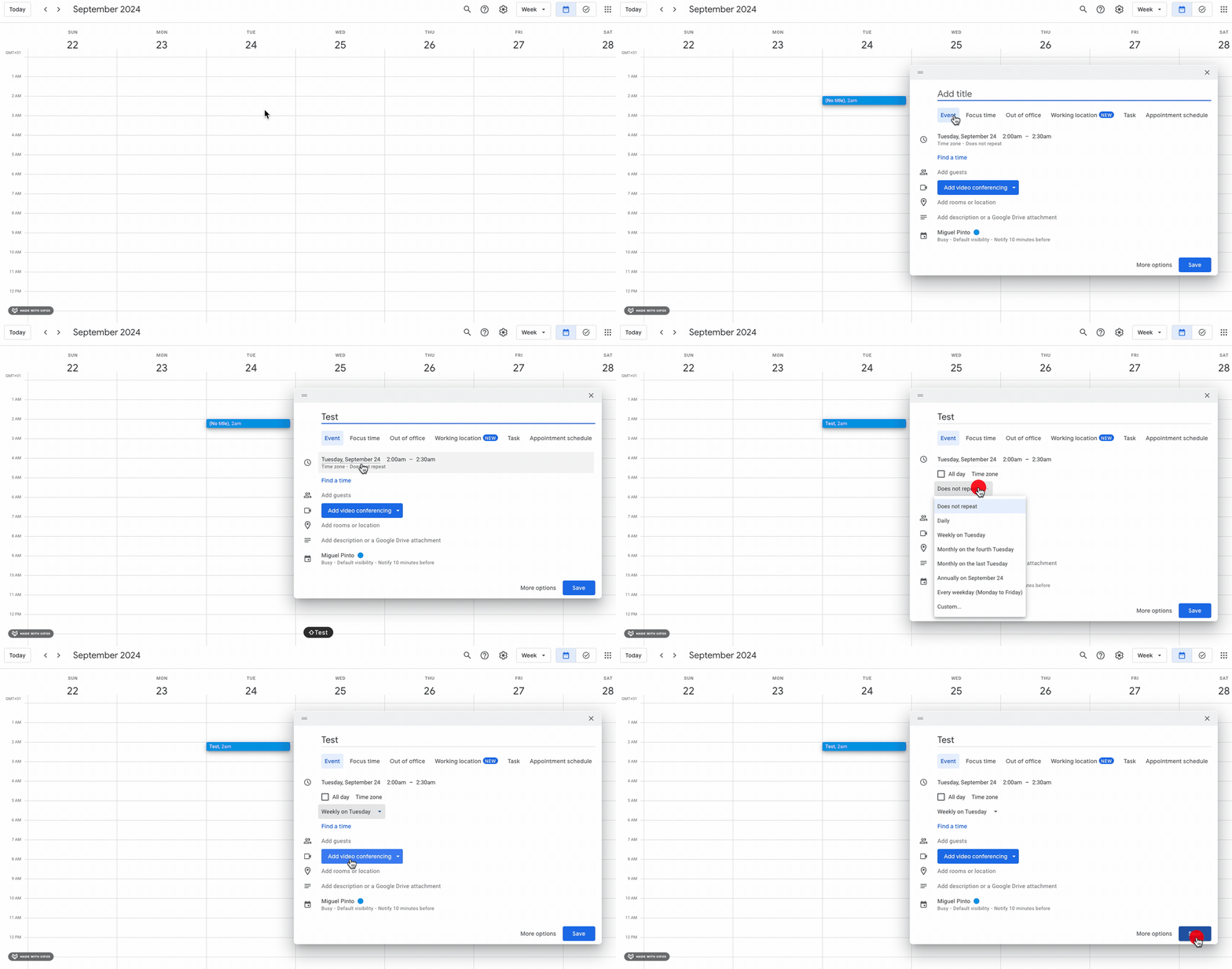


Once you set up the recurring meeting in your calendar, you will be prompted to add that created event in your google calendar to the 1:1 meeting:
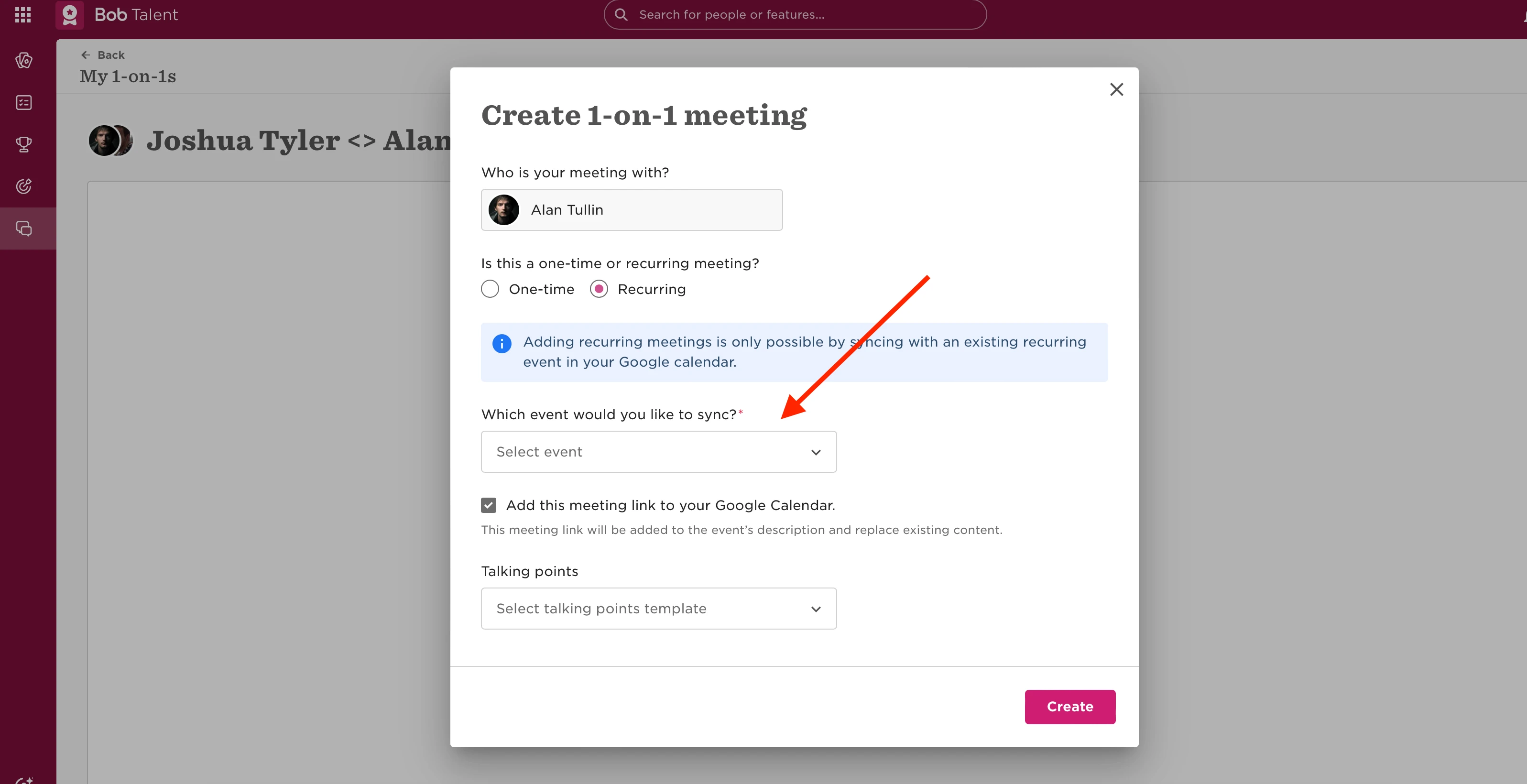

 

3 replies

  • Jun 12, 2025 8:01 AM UTC

How about when we don’t have Google, but MS Teams? 

Translate

Maital Terdiman
Bobber

Hi ​@Leané 

Keep an eye on the below thread, MS teams integration for this is due this year!

Translate

  • Mar 11, 2026 3:10 PM UTC

Hi,

I would like to better understand how employee conversations (for example 1:1 meetings) can be managed in HiBob.

Specifically, I have a few questions:

  • Where in the system is the best place to document and manage ongoing conversations with employees (such as regular 1:1 meetings)?

  • If a team lead documents these conversations, can managers above them in the hierarchy also see the notes?

  • Is it possible to configure notifications when such conversations or notes are added?

We would like to use the system in a way that supports ongoing communication while also maintaining the right level of visibility for management.

Thank you in advance for your guidance.

Translate