If you need to keep a copy of your 1-on-1 meeting notes as a PDF, you can use your browser’s print-to-PDF option as a workaround since there’s no built-in export option.
1. Go to the relevant 1-on-1 meeting page with the notes you want to save
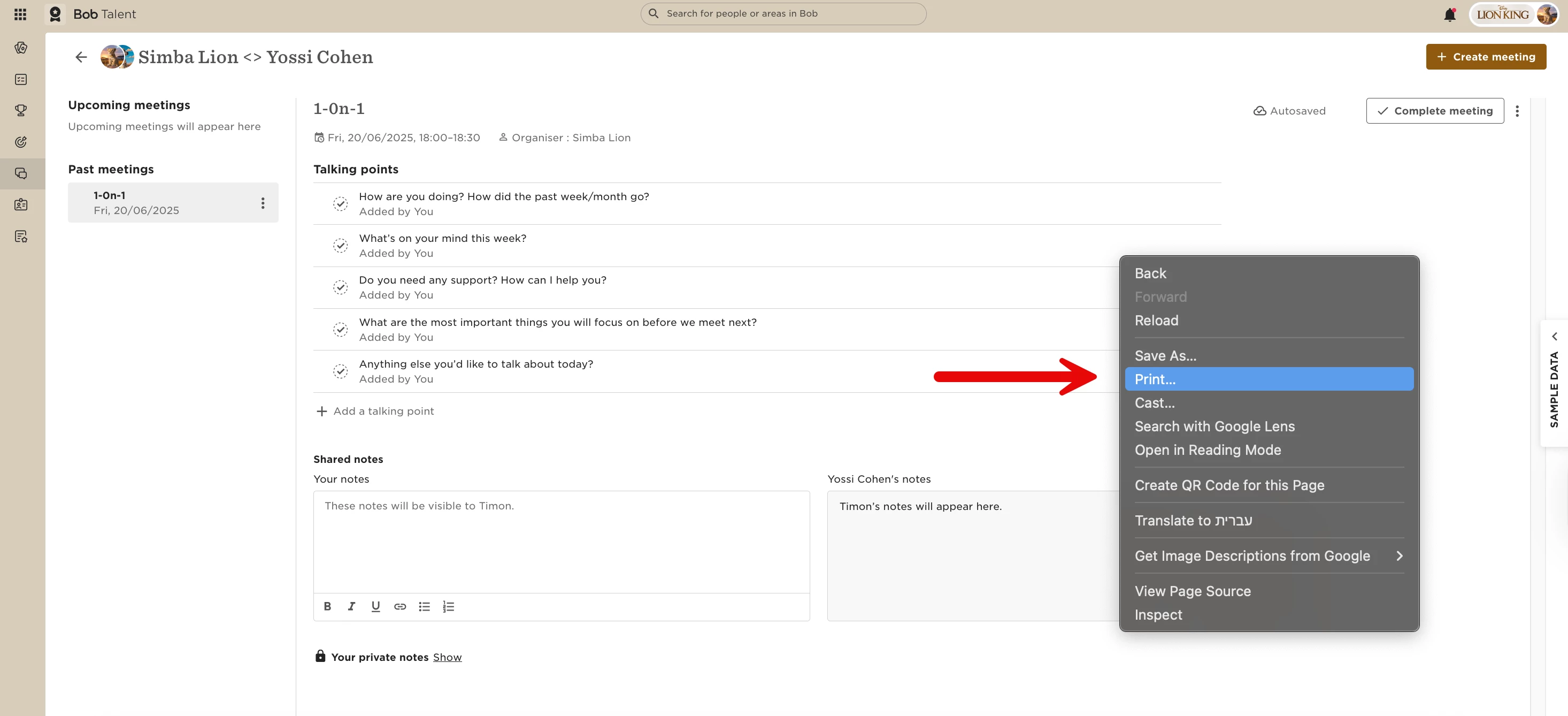
2. Right-click anywhere on the page
3. Click Print
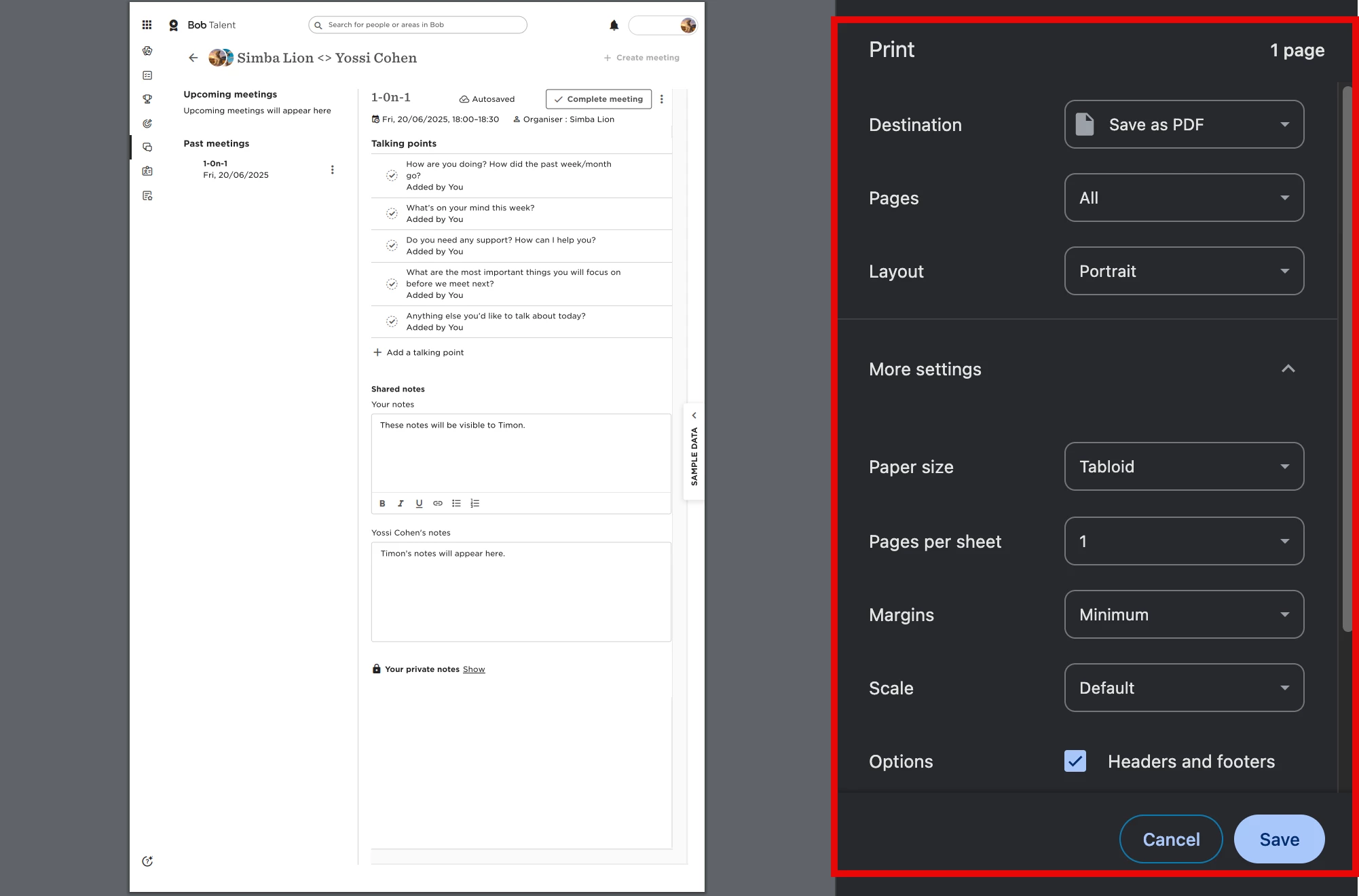
4. In the print window, set the destination to Save as PDF
5. Adjust layout or scale if needed to make sure everything fits clearly
6. Click Save to download the file
This will create a PDF version of the meeting notes for your records.
Keep in mind that this needs to be done separately for each 1-on-1 meeting you want to save.