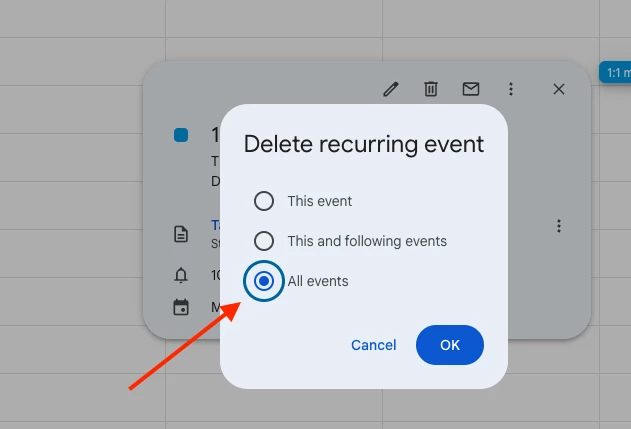
To remove a recurring 1:1 meeting from Bob, you’ll need to delete it directly in Google Calendar first.
Make sure to delete the entire recurring event—not just one instance:
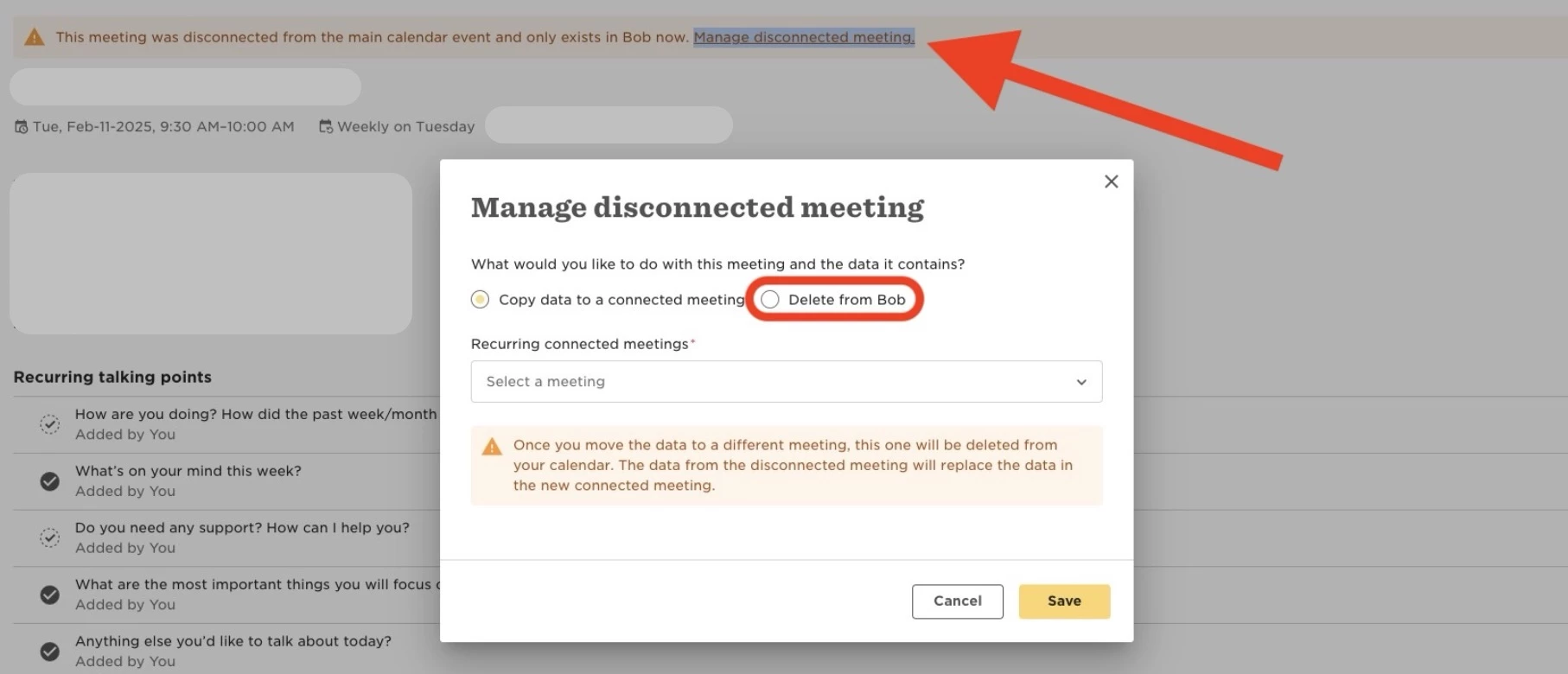
Once deleted in Google Calendar, Bob will sync the change. The meeting will no longer appear in your Bob calendar, but you might see a warning banner saying the meeting is disconnected.
Click Manage disconnected meeting in the banner. Then select Delete from Bob to fully remove it from the platform.